


Garmin Approach R50 Golf Simulator & Launch Monitor
by Garmin
 PlayBetter is a trusted Authorized Dealer for this brand. All purchases are
eligible for full manufacturer warranty protection.
PlayBetter is a trusted Authorized Dealer for this brand. All purchases are
eligible for full manufacturer warranty protection.
Original price
$4,999.99
-
Original price
$4,999.99
Original price
$4,999.99
$4,999.99
-
$4,999.99
Current price
$4,999.99
Need Help?
Talk with an expert Need expert advice?

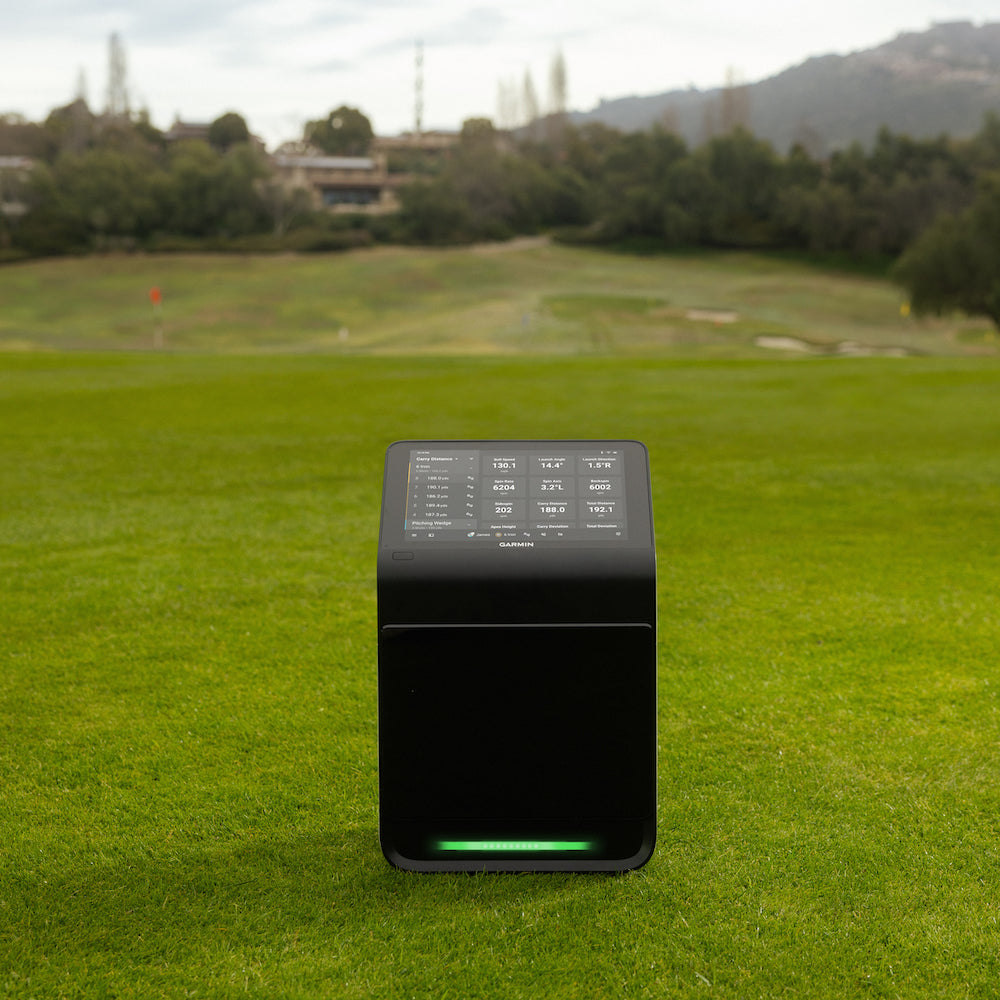
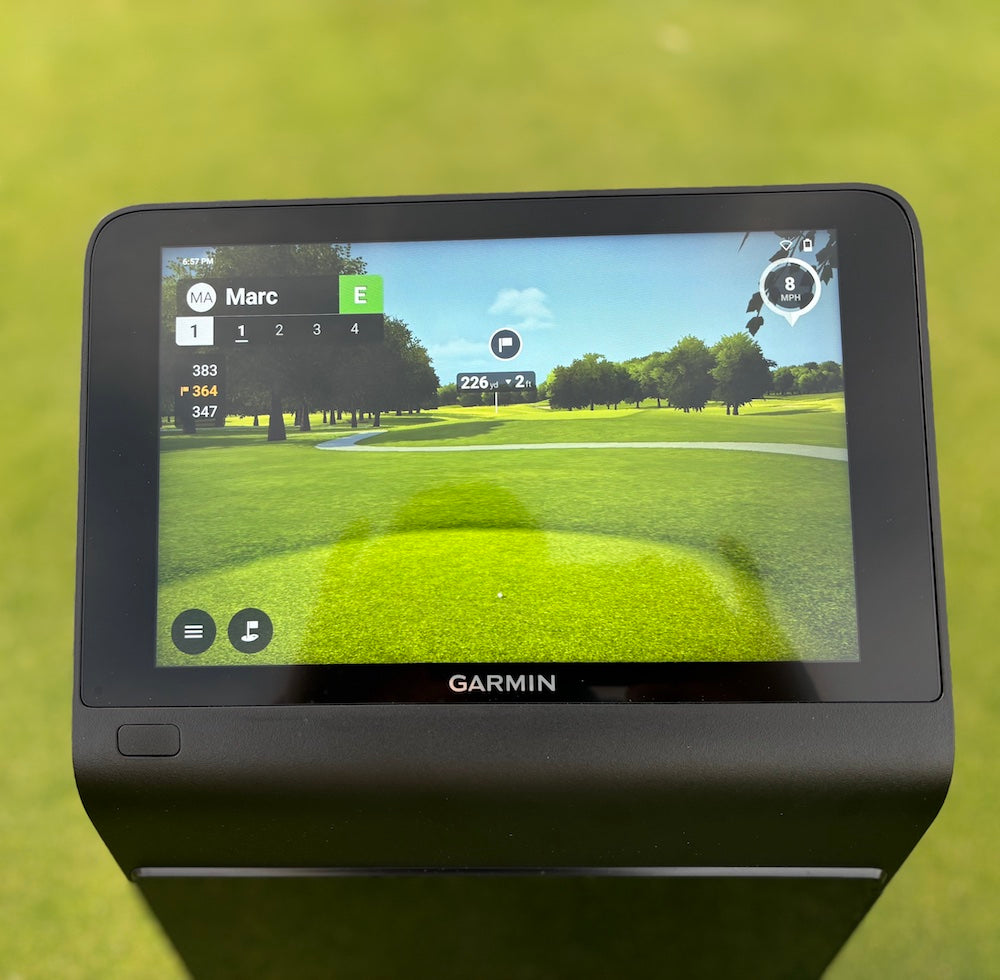
⛳️ Garmin Approach R50 is an absolute game-changer. Golf simulators will never be the same. The first all-in-one golf simulator (no phone, tablet, or computer needed) features a stunning 10" color touchscreen, elite photometric Club & Ball data & access to 43,000+ stunningly redesigned virtual courses.
Here are some other great Approach R50 options:
- Garmin Approach R50 with PlayBetter SimStudio™ COMPLETE Package (All-Inclusive Studio Package)
- Garmin Approach R50 with PlayBetter SimStudio™ ESSENTIALS Package (Simplified Studio Package)
- Garmin Approach R50 with PlayBetter SimStudio™ DIY Package (Customizable Studio Package)
- Garmin Approach R50 with The Net Return Hitting Net Studio Package
- Garmin Approach R50 (Certified Pre-Owned)
Featured


“This is the Tesla of Golf Launch Monitors. A complete game-changer! Elite accuracy, measured (not calculated) data points and also the easiest simulator I've ever used. Plus the fact that get full, incredible simulation without a computer, tablet or phone is truly next-level."
Lets Play Thru - YouTube Channel
Garmin Approach R50 Golf Simulator & Launch Monitor
by Garmin
PlayBetter is a trusted Authorized Dealer for this brand. All purchases are
eligible for full manufacturer warranty protection.
Original price
$4,999.99
-
Original price
$4,999.99
Original price
$4,999.99
$4,999.99
-
$4,999.99
Current price
$4,999.99
Need Help?
Talk with an expert Need expert advice?
⛳️ Garmin Approach R50 is an absolute game-changer. Golf simulators will never be the same. The first all-in-one golf simulator (no phone, tablet, or computer needed) features a stunning 10" color touchscreen, elite photometric Club & Ball data & access to 43,000+ stunningly redesigned virtual courses.
Here are some other great Approach R50 options:
- Garmin Approach R50 with PlayBetter SimStudio™ COMPLETE Package (All-Inclusive Studio Package)
- Garmin Approach R50 with PlayBetter SimStudio™ ESSENTIALS Package (Simplified Studio Package)
- Garmin Approach R50 with PlayBetter SimStudio™ DIY Package (Customizable Studio Package)
- Garmin Approach R50 with The Net Return Hitting Net Studio Package
- Garmin Approach R50 (Certified Pre-Owned)
Customers Trust PlayBetter.com for Golf Launch Monitors & Simulators
Why shop Garmin Approach R50 with PlayBetter.com?
WHAT'S INCLUDED IN THE BOX?


Garmin Approach R50 FAQS
Can you play AND see virtual golf on the Garmin Approach R50 launch monitor?
Yes! You can play Home Tee Hero—Garmin's proprietary golf simulation software that has been vastly improved with updated mapping and offers 43,000+ golf courses from around the world!
Do you need a mobile device or PC to use the Garmin Approach R50 as a launch monitor or simulator?
No! You don't need to be connected to any other device to get your shot data or to play Home Tee Hero, Garmin's improved realistic virtual golf simulation software!
Do you need the internet to use the Garmin Approach R50 all-in-one launch monitor & simulator?
No, you do not need the internet to use the launch monitor or to play Home Tee Hero. You will need internet during the quick initial setup and to check for and download firmware updates. You will need a PC and a Wi-Fi connection for compatible third-party simulator software.
How do I save my shot and play history?
After you use the R50 and you connect to Wi-Fi, your history with sync up with the Garmin Golf App.
Do I need a subscription with the Garmin Approach R50?
If you want to play Home Tee Hero on the display, you will need the Garmin Golf Premium subscription, which is $9.99/month or $99.99/year.
Will the Garmin Approach R10 get the new improved version of Home Tee Hero with more realistic graphics and updated mapping?
No. The updated Home Tee Hero is for the R50 only.
Can you mirror the display of the Approach R50 to a TV or Impact Screen?
Yes! It's as easy as connecting an HDMI cable to the TV or projector. Plus, with splitscreen capability, you can see your shot data and virtual golf play in different ways on the two different displays!
Does the Garmin Approach R50 have club data?
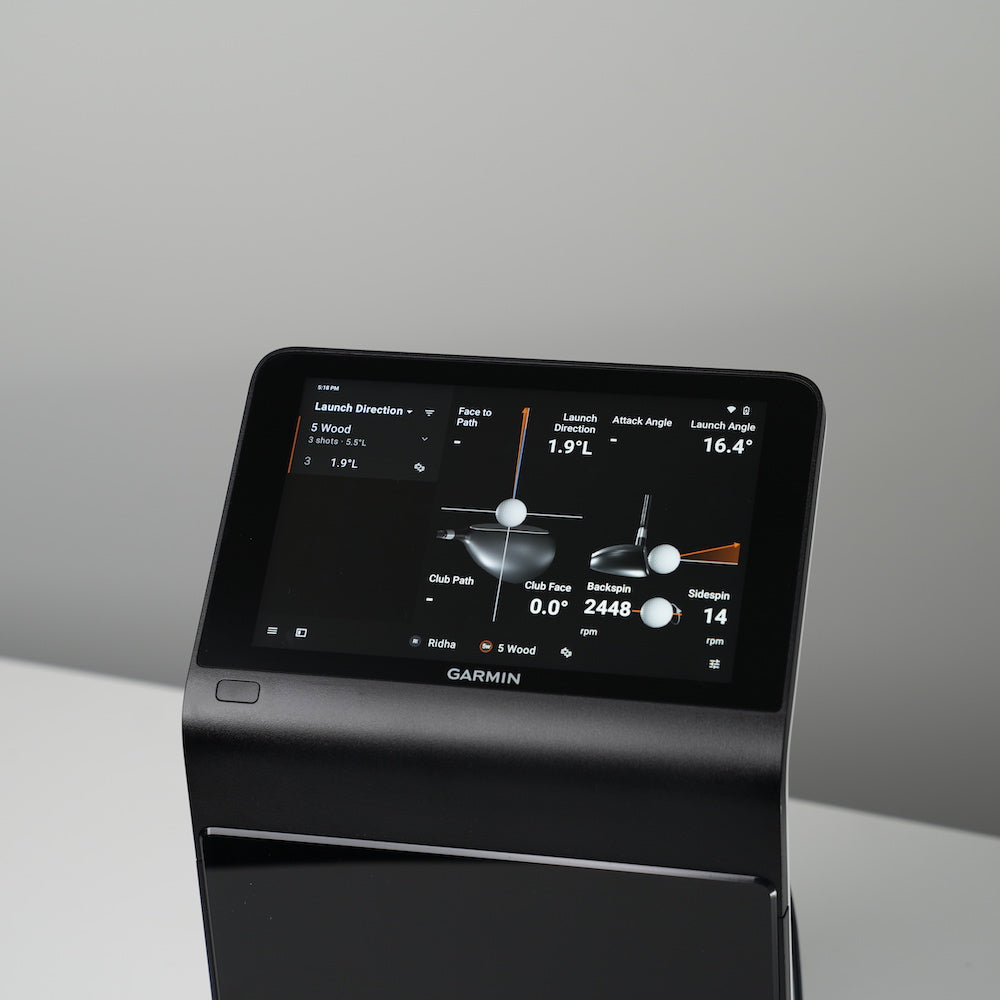
Yes! In addition to the ball data, for no extra cost, the Approach R50 offers these club path metrics: Clubhead Speed, Path Angle, Angle of Attack, Face Angle, and Face to Path!
Does the Approach R50 measure spin?
Yes! And because it has 3 cameras (photometric launch monitor), it measures instead of estimates spin metrics!
Does the Garmin Approach R50 require club stickers?
If you want accurate club data, you must use the club stickers (placed at the top center) that come with the R50. Other stickers will not work, because the Garmin stickers are a certain size.
Additional Information on Garmin Approach R50 Golf Simulator & Launch Monitor
Specs
Related Garmin Approach R50 Golf Launch Monitor & Simulator Content

What Golf Simulator Software Works With the Garmin Approach R50?
Compatible Software, Hardware Requirements, and Costs Explained.

Garmin Approach R50 System Requirements
Our short guide breaks down the system requirements and compatibility options so you know exactly how the R50 fits into your setup.

Garmin Approach R50 Space Requirements - How Much Space Do You Need?
This guide breaks down the exact room dimensions you’ll need so you can play simulator golf without guesswork.

Garmin Approach R50 Review
This is a first of its kind for golf simulators. Turn it on and start playing virtual golf in less than a minute. No device connection necessary. You've got to get a closer look at this new Garmin golf launch monitor.

Garmin Approach R50 vs Foresight QuadMAX, GCQuad, Falcon
This showdown pits the innovative Garmin R50 against the industry-leading Foresight GCQuad, QuadMAX, and Falcon launch monitors in a head-to-head battle across ten categories.

Garmin Approach R50 vs SkyTrak+
Discover how the Garmin R50 and SkyTrak+ stack up in accuracy, features, and value. Compare these top golf launch monitors to find the perfect fit for your game under $5,000!