Skip to content

Uneekor EYE XR

by Uneekor
PlayBetter is a trusted Authorized Dealer for this brand. All purchases are eligible for full manufacturer warranty protection.
Original price $6,999.99
Original price $6,999.99 - Original price $8,699.99
Original price $6,999.99
Current price $4,900.99
$4,900.99 - $6,090.99
Current price $4,900.99

Need Help?

Talk with an expert Need expert advice?

DO NOT ACTIVATE THIS LISTING! FOR BACKEND USE ONLY

Model: Unit Only

Customers Trust PlayBetter.com for Golf Launch Monitors & Simulators

Transform your golf practice with the Uneekor EYE XR Golf Launch Monitor & Simulator—compact design, powerful data insights, and a hassle-free setup for game-changing results.

Why shop Uneekor EYE XR with PlayBetter.com?

Free 2-Day Shipping

Anywhere in USA. Have it in your hands in 2 business days or less.

Free 30-Day Returns

No Hassle Returns. Either you love it, or you return it.

Customer Delight Team

Our team of experts are here via phone or email if you need help or guidance.

#1 Uneekor EYE XR Dealer in U.S.A.

Thousands of happy golfers (and counting).

WHAT'S INCLUDED IN THE BOX?

Uneekor EYE XR Launch Monitor

Mounting & Bracket Hardware

CAT-6 Ethernet Cable

Rear-Mounted Design for Effortless Setup

The Uneekor EYE XR features a sleek, compact rear-mounted design that blends seamlessly into your golf setup, freeing you from the worry of errant shots. This design offers unmatched safety and convenience, ensuring your practice space stays clean and clutter-free.

  • Compact, sleek design integrates easily into modern setups
  • Rear-mounted positioning provides more space and less obstruction
  • Ensures peace of mind, protecting your equipment from errant shots

Club AI Tracking for Effortless Data

Gone are the days of using stickers on your clubs for data tracking. The EYE XR features advanced Club AI Tracking, which automatically captures data without the need for external markers, streamlining your practice and offering a hassle-free experience.

  • No need for clubface stickers or markers
  • Automatically tracks and captures club data
  • Saves time on setup, allowing for seamless sessions

The advanced AI technology ensures that every shot is recorded with precision, so you can focus on improving without worrying about manual adjustments.

Power Over Ethernet for a Cleaner Setup

Say goodbye to tangled cables and complicated installations. The Uneekor EYE XR simplifies your setup with Power Over Ethernet (PoE), allowing you to use a single cable for both power and data transmission. This results in a cleaner and more reliable setup for continuous performance.

  • Single cable solution for both power and data
  • Easy to install and set up
  • Reliable connection for uninterrupted use during sessions

This innovative feature not only simplifies the installation process but also ensures that your device runs smoothly, minimizing disruptions and maximizing playtime.

19 Data Points for Complete Game Analysis

The Uneekor EYE XR doesn’t hold back when it comes to data. With access to 19 essential data points, you receive a comprehensive analysis of your ball and club performance, unlocking insights that help refine your game—without hidden fees or additional purchases.

  • 19 actionable data points for both ball and club analysis
  • No paywall or additional fees—get all the data you need right away
  • Invaluable insights to improve your game and track your progress

With the EYE XR, you can trust that you’re getting all the data you need to track your development and adjust your game for better results.

Uneekor EYE XR FAQS

How accurate is the Uneekor EYE XR?

Our partner and golf sim reviewer Gabe from Let’s Play Thru visited Uneekor HQ and got to try out the EYE XR, GameDay sim software, and AI Trainer right after they were released. Gabe said he found the EYE XR’s data to be “spot on!”

What is the Uneekor EYE XR release date?

The EYE XR overhead launch monitor was release on April 14, 2025.

Does the Uneekor EYE XR require club stickers or special balls?

No. The EYE XR doesn’t require any special golf balls or stickers on your clubface or hosel to deliver full ball and club data.

Is the Uneekor EYE XR installed differently from other overhead golf launch monitors?

The EYE XR features a rear-mounted design. The overhead unit installs behind the hitting zone, offering full freedom of movement.

Does Uneekor EYE XO2 require a subscription?

Uneekor Player platform is free and includes all data. But if you want to play third-party software, multiple profiles, courses, AI Trainer capability (requires additional equipment), and GamDay, you will have to purchase the applicable yearly subscription: Pro ($199), Champion ($399), or Ultimate ($599). Each one allows for various features.

Additional Information on Uneekor EYE XR

Uneekor Subscriptions

Player — $0, Included with purchase:

  • Ball Data
  • Club Data
  • Virtual Driving Range
  • Advanced Reports (100)
  • Single Profile

Pro — $199/yr. Includes Player features plus:

  • Advanced Reports (500)
  • Multiple Profiles (5)
  • Third-Party Software Compatibility (GSPRO, E6, and TGC 2019)
  • Refine (5 Courses)

Champion — $399/yr. Includes Player features plus:

  • Advanced Reports (1000)
  • Multiple Profiles (50)
  • Third-Party Software Compatibility (GSPRO, E6, and TGC 2019)
  • Refine+ (20 Courses)
  • AI Trainer*

Ultimate — $599/yr. Includes Player features plus:

  • 3-Month Ultimate Package trial included with Uneekor launch monitor purchase
  • Advanced Reports (1000)
  • Multiple Profiles (100)
  • Third-Party Software Compatibility (GSPRO, E6, and TGC 2019)
  • Refine+ (20 Courses)
  • AI Trainer*
  • GameDay*

*AI Trainer ($99/year) and GameDay ($199/year) can also be purchased separately.

Recommended PC Specifications

Core Setup: Minimum PC specifications required to run Uneekor-compatible software without Swing Optix enabled.

Recommended:

  • CPU: Intel Core Ultra 5, Intel Core i5 (12th Gen or later), or AMD Ryzen 5 (5000 Series or later)
  • RAM: 16GB or more
  • GPU: NVIDIA RTX 2060 or higher
  • GPU Memory: 6GB or more
  • Hard Drive: SSD required
  • Network: Consistent broadband internet connection
  • Ethernet Ports: 2 or more (one required for launch monitor, one optional for hard-wired internet)
  • Internet Download Speed: 25 Mbps or higher
  • Operating System (OS): Windows 11 Home or Pro (latest version)

Minimum:

  • CPU: Intel Core Ultra 3, Intel Core i3 (12th Gen or later), or AMD Ryzen 5 (3000 Series or later)
  • RAM: 8GB
  • GPU: NVIDIA GTX 1660 Super or equivalent
  • GPU Memory: 6GB
  • Hard Drive: SSD required
  • Network: Consistent internet connection
  • Ethernet Ports: 2 or more (one required for launch monitor, one optional for hard-wired internet)
  • Internet Download Speed: 25 Mbps or higher
  • Operating System (OS): Windows 10 Home or Pro (64-bit only), Version 22H2

Recommended PC Specs for:

USB Camera Setup: Requirements to run VIEW with USB cameras enabled for down-the-line and face-on swing video playback.

Swing Optix Setup: Requirements to run VIEW with Swing Optix cameras and support for AI Trainer (AI-powered swing analysis software).

Full Setup: Requirements to run VIEW, Swing Optix, and AI Trainer together for full swing video playback and AI-powered analysis.

Recommended:

  • CPU: Intel Core Ultra 7, Intel Core i7 (12th Gen or later), or AMD Ryzen 7 (5000 Series or later)
  • RAM: 32GB or more
  • GPU: NVIDIA RTX 4070 or higher
  • GPU Memory: 12GB or more
  • Hard Drive: SSD required
  • Network: Consistent broadband internet connection
  • Ethernet Ports: 2 or more (one required for launch monitor, one optional for hard-wired internet)
  • Internet Download Speed: 25 Mbps or higher
  • Operating System (OS): Windows 11 Home or Pro (latest version)

Minimum:

  • CPU: Intel Core Ultra 5, Intel Core i5 (12th Gen or later), or AMD Ryzen 5 (5000 Series or later)
  • RAM: 16GB
  • GPU: NVIDIA RTX 3060 or equivalent
  • GPU Memory: 12GB
  • Hard Drive: SSD required
  • Network: Consistent internet connection
  • Ethernet Ports: 2 or more (one required for launch monitor, one optional for hard-wired internet)
  • Internet Download Speed: 25 Mbps or higher
  • Operating System (OS): Windows 10 Home or Pro (64-bit only), Version 22H2

Note: PC sold separately.

Related Uneekor Articles & Pages:

Specs

  • Sensor Position: Rear
  • Sensor Technology: Dual High Speed Cameras
  • Power: Power over Ethernet (POE)
  • Basic Software: VIEW
  • Golf Ball Use: Any Ball
  • Club Stickers: None Needed
  • Ready Zone: 13.7" x 11.8"

PlayBetter SimStudio Home Golf Simulation Studio Packages

Get the most out of your launch monitor & simulator with our all-inclusive home golf simulation studio bundle. Everything you need at an incredible value. Delivered to your door for free.

Shop PlayBetter SimStudio Packages

Related Golf Launch Monitor & Simulator Content

PlayBetter Official Golf Launch Monitor Buyer's Guide

If you’re shopping golf launch monitors, this guide is your ground zero. Start here, stay here — we’ve built the full roadmap.

The MOTHER of All Golf Launch Monitor Comparisons

Literally everything you could ever need to know about the top launch monitors & simulators in the game.

Here’s Why It’s a Bad Idea to Cheap Out on a Golf Launch Monitor

Our golf guy Marc explains the differences between budget golf launch monitors and the best ones that you can afford. Because, make no mistake, the differences are big.
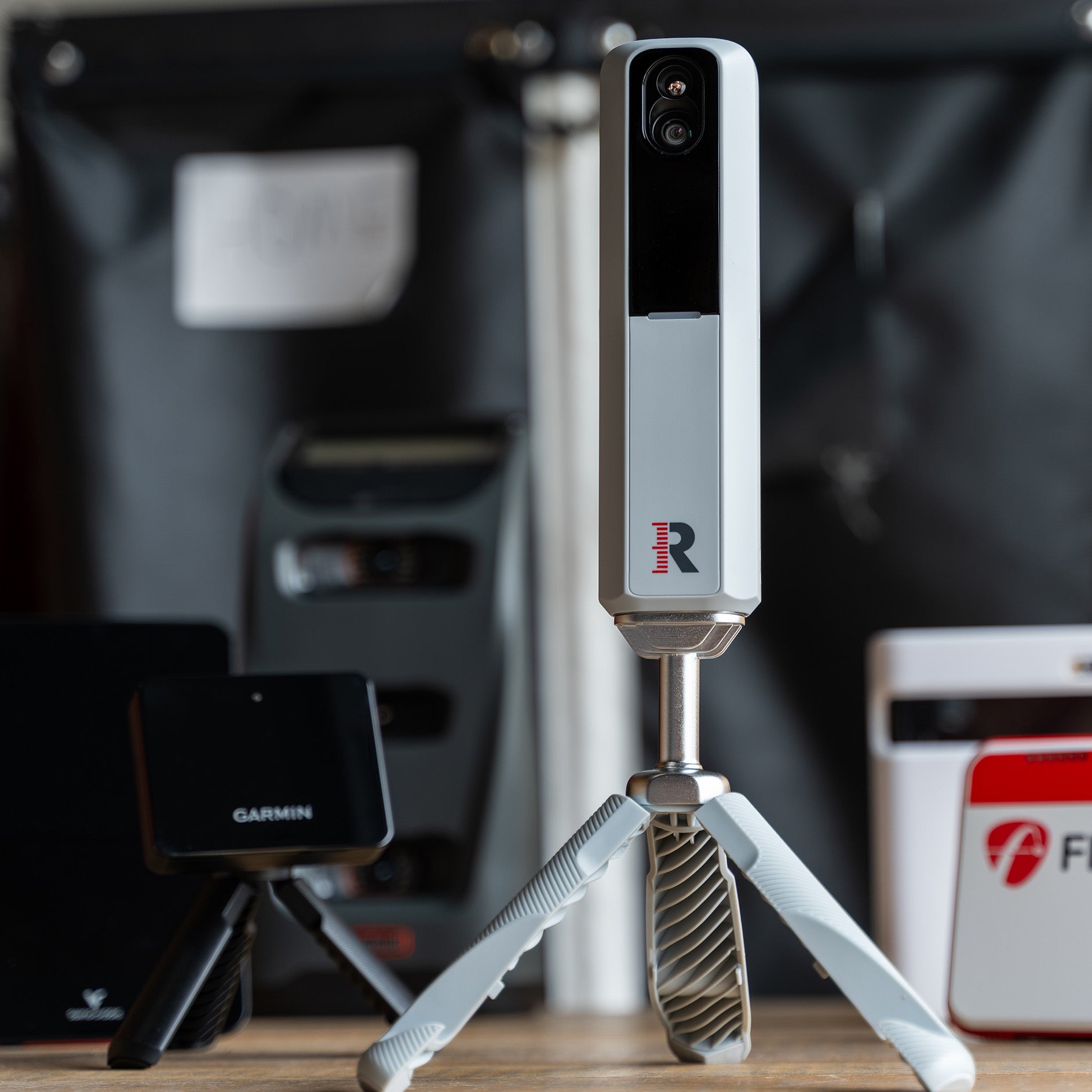
Golf Simulator Reviews – What Actually Matters When You're Shopping

When you're buying something as complex—and as expensive—as a home simulator setup, knowing what to pay attention to can save you time, money, and a lot of frustration.

Golf Simulator Comparisons

rom launch monitors to full studio packages, explore in-depth comparisons, honest reviews, and expert buying guides.

How to Use a Golf Launch Monitor to Improve

If you have a GLM or are thinking about getting one, let our golf writer Marc help you interpret the numbers to help you play better!