


ProTee VX Golf Simulator Review: The Overhead Launch Monitor You Can Actually Afford
The ProTee VX is the overhead golf simulator that finally makes a pro-style setup realistic for home golfers. Here’s why this $6,500, no-subscription, ceiling-mounted launch monitor might be the smartest investment you can make in your sim room.
Look, I’ve said it before: If you’re serious about building a home golf simulator, you need to at least consider going overhead.
And I get it. For most of us, “overhead” has not been realistic for one simple reason: price. They’re too expensive. They make the indoor golf dream go from realistic to kind of crazy.
That’s why this ProTee VX overhead simulator is so intriguing. At $6,500, it costs less than several floor-standers. Let me say that again. You can mount this to your ceiling and have a pro-style setup for less than you would spend for a launch monitor that sits on your floor and might always be in the way.
See what I mean? This thing is very interesting.
But does it work? And does it work well enough? For that $6,500, what exactly are you getting? And is it worth having?
Those are the questions I want to explore. Let’s get after it.
See the Quick ProTee VX Intro with PlayBetter Golf Expert Daniel
No Club Stickers or Special Golf Balls Needed!

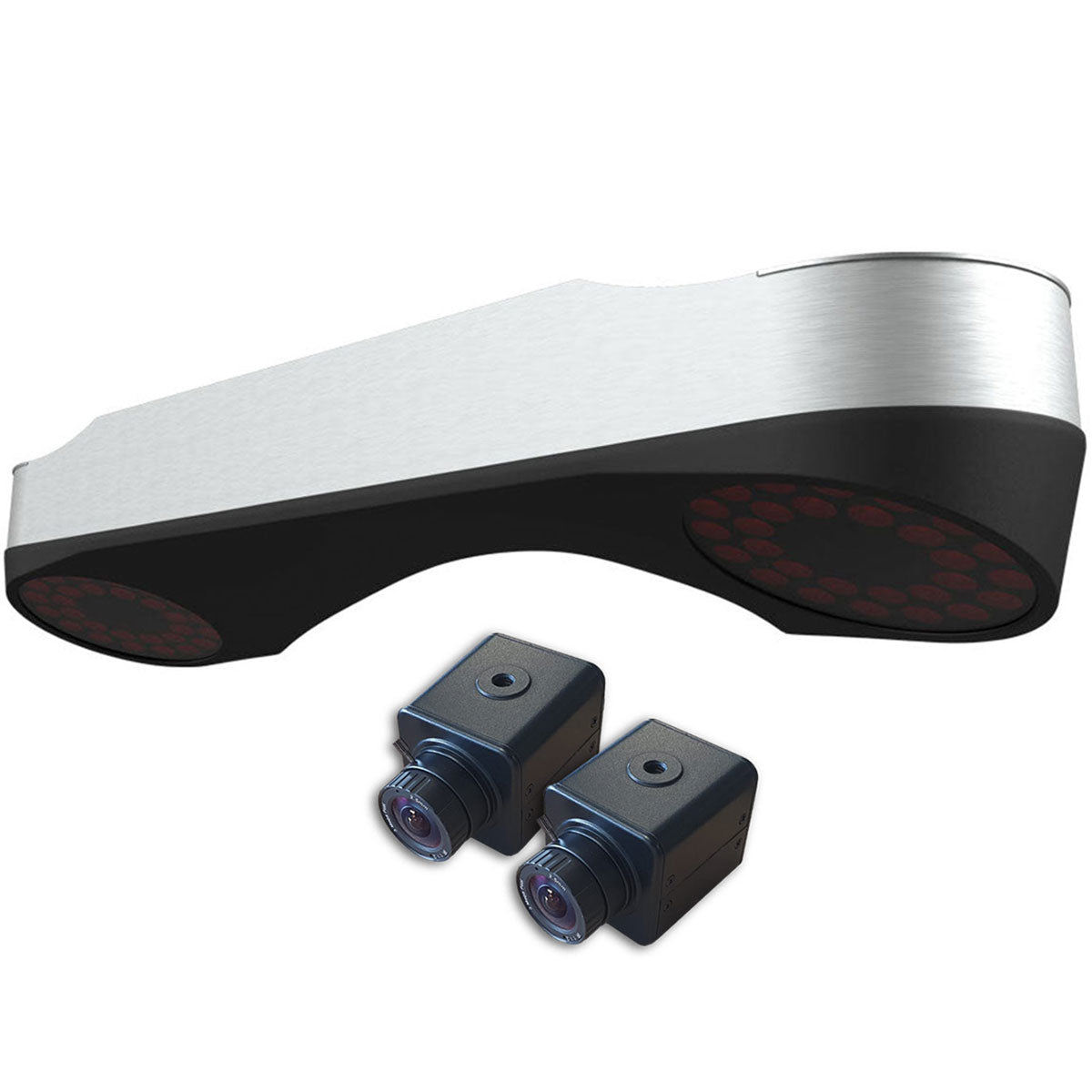
The ProTee VX is a ceiling-mounted launch monitor that hangs 3 to 4 feet in front of your hitting area, between 9 and 10 feet above the floor. It uses dual high-speed cameras and AI-powered tracking to capture complete ball and club data on every shot.
And you don’t need special stickers on your golf clubs or special kinds of golf balls. The system recognizes your clubs using artificial intelligence and from there directly measures (not estimates) everything optically.
This is big. Club stickers and special golf balls are a club-data pain point with almost every other launch monitor on the market. To skip them all together with an option like this ProTee VX or Uneekor’s XR is a real luxury.
The hitting zone for the VX is 25 inches by 21 inches. That’s massive compared to most competitors. Another awesome advantage. You’re not constantly having to check to see if the ball is positioned so that the device will read it. Again, that’s a very nice quality-of-life advantage that anyone who’s used a golf simulator can definitely appreciate.
As for the data metrics, you’re getting pretty much everything you’d want, including:
- Ball speed
- Spin rate
- Backspin
- Sidespin
- Launch angle
- Launch direction
- Club speed
- Club path
- Face angle
- Face-to-path
- Attack angle
- Dynamic loft
- Lie angle
- Impact location
The system does use machine learning trained on thousands of club images. When your club enters the hitting zone, the cameras recognize the clubhead geometry and place virtual tracking markers on it. Then it measures how those markers move between frames.
And speaking of cameras, the system includes two additional external swing cameras that automatically sync with every shot. That means you can set up the cameras to capture down-the-line and face-on video that replays in slow motion in addition to the built-in overhead cameras in the device itself, which I’ll talk about below.
The ProTee VX also comes with a perpetual license for the ProTee Labs software, which is their native software that I’ll also talk more about as we go.
The big thing to know here is that there are no subscriptions. The software and all of the data plus all of the features, including the swing cameras, are all part of the deal and included for life with purchase of the launch monitor.
Why An Overhead Golf Simulator Might Make Sense for You
Here’s something I’ve noticed talking with simulator owners. A lot of golfers think they need a portable launch monitor. They picture themselves taking it to the range, getting their numbers outdoors, doing the whole tour-pro thing.
But you know what very often happens in my experience? Once they’ve got a dialed-in home simulator setup, the launch monitor stays there. They can get their numbers at home, play all the sim golf they want to, and then use the outdoor driving range as more of a warmup place before their rounds.
I see this a lot. Don’t get me wrong. There are plenty of golfers getting regular use with their launch monitors outdoors. But what I’m saying is that, if your goal with all of this is an indoor simulator setup, in my experience, you may not use your launch monitor outside of that space as much as you may initially think you will.
So, be honest with yourself. Are you really going to schlep your launch monitor to the range? Or would you be better off with a more permanent setup?
If you think you’re in the permanent indoor setup camp, then an overhead launch monitor makes a ton of sense.
With a floor unit, whether it’s photometric or radar, you’re continuously aligning and readjusting it. Every time it moves, whether because you stored it or accidentally kicked it, you’ve got to reposition it. No such worries with an overhead. You turn on your PC, hit balls, and that’s it.
Probably the biggest advantage of an overhead launch monitor is that it’s out of the way. The floor-standers aren’t very good at sharing space. Think kids, visitors, pets, whatever. It’s not always ideal to have a piece of hardware just chilling in the middle of the floor.
Overhead devices also solve the righty/lefty conundrum. There’s no need to move anything if you want to switch from one side of the golf ball to the other.
I’m telling you, these convenience factors compound with every single session. It can really be the difference between using your simulator constantly and having it become a hassle you avoid. Which is why getting an accurate overhead option for $6,500 all-in with the ProTee VX is really compelling.
The ProTee VX’s Seriously Impressive Video Replay

One very useful feature with the VX is the slow-mo impact replay.
In my experience, this is a feature that never really quite lives up to its potential with other launch monitors. With units like the Garmin R50 or Rapsodo MLM2PRO, you get a slow-motion replay of impact, but it’s not actually that useful. It’s hard to see exactly what the clubface is doing as it contacts the golf ball.
But this video replay is incredible. The big separator here is the internal camera angle from which the video is being recorded. Because it’s shot from above, you get a perfect top-down look that allows you to see the exact angle of the clubface as it’s moving through the hitting zone. You can’t get that perspective from the side or behind like with other floor-standers.
But you also get a grid of your hitting area and a line tracer showing your actual swing path. So you have a frame of reference as to what’s square and you can see whether your club is coming from the inside, outside, or straight down the line. It’s really powerful feedback.
And, as I mentioned, you’ve got the option to connect external swing cameras. Two of them come with the unit. That means you end up with full coverage of your swing from overhead, down-the-line, and face-on. Pretty sweet. And you don’t have to use the specific swing cameras that come with the device.
Another thing unique about the ProTee VX is its Spin Validator feature. After each shot, you get video footage of your ball spinning with colored tracking dots overlaid. So now you get visual proof of exactly in which direction your ball was spinning after contact.
ProTee Labs Software: What’s Included and What’s Not
The ProTee VX comes with ProTee Labs software. And, again, there are no subscription fees.
It’s excellent practice software with customizable data panels, the video replay features and swing camera integration I talked about, shot tracking, dispersion mapping, and putting analysis.
What it doesn’t include is simulator golf courses. That’s one thing that you are not getting for your $6,500.
However, the good news is that the ProTee is totally compatible with whatever third-party option you’ve got in mind, like GSPro or E6. And the best part is that they don’t charge you to make that connection. Yes, you’ll still have to pay your third-party fee, but you won’t have to pay anything additional to ProTee the way that you would with so many other manufacturers.
So many of the serious sim players that I know use GSPro anyways. Many of them aren’t even concerned with the native sim software of the launch monitors they own. So, while I do look at the ProTee VX’s lack of simulator courses as a drawback for some users, for a lot of others, I don’t think they’ll really care. In fact, if it helps to keep the price this low, many may view it as a win.
Additional Fun Games Available (for an Additional Cost)
Now, while the ProTee doesn’t include native simulator course play the way that we’re accustomed to from a company like FSX Play, or SkyTrak, or Uneekor, you do have the option to access ProTee Play, which is more of an arcade-style, fun, challenge-oriented suite of games.
However, for the VIP package that unlocks ProTee Play for life, that’s going to cost an additional $715. That’s not an ongoing subscription, but it is an additional cost.
The cool thing about this software package is that it’s very family-fun oriented and it goes way beyond golf. Plus, it operates right in your web browser.
Essentially, ProTee Play allows you to use your golf simulator (it’s also compatible with Uneekor, SkyTrak, and FlightScope devices) to play games like soccer, darts, and bowling. You can kill zombies. You can do long drive competitions. It goes on and on.
The idea here isn’t max realism and accuracy. It’s fun. Think of it as another way to sell this whole thing to your spouse. “This is going to be fun for the whole family, honey.”
ProTee VX Installation and Space/System Requirements (The Quick Version)
I’ll write up separate deep dives on space and system requirements for this launch monitor. But in the meantime, here are the high-point takeaways.
You need a ceiling height between 9 and 10 feet. The unit mounts 3’ 4” to 3’ 7” in front of your hitting position depending on your ceiling height.
For room depth and width, you really only need enough space to swing comfortably and to avoid the golf ball ricochetting off of your impact screen and back into your hitting area. That’s another nice advantage with overhead. Some radar-based launch monitors require as much as 21 feet of room depth to operate accurately indoors.
Installation for an overhead unit really couldn’t be simpler. It’s as difficult as screwing a bracket into your ceiling and then locking the launch monitor into place. And then once everything’s set, calibrating the unit takes less than a minute.
The ProTee VX does require a Windows PC. So, Mac users are out of luck. And this is a limitation for those people who want the simplicity of something they can operate with their smart phone. For this one, you’re going to need a bit of computer firepower.
PlayBetter makes that part pretty easy with some really good turnkey options, so definitely check that out. But for now, just understand that this launch monitor and software is going to require at least an i7 processor, 16GB RAM, and an RTX 3060 GPU for solid performance.
Reasons Not to Buy the ProTee VX
Golf simulators aren’t one-size-fits-all. It doesn’t work like that. What’s good for my setup, situation, budget, and preferences may not jibe with what you’ve got going on.
The VX isn’t going to be right if you’re looking for portability. That should be obvious. Overhead launch monitors give you a lot of advantages. But you sacrifice the grab-and-go part of the equation.
It’s also not an option for Mac users. Sorry.
And, if you’re looking for plug-and-play simulator golf on one platform, this isn’t that platform. You’ll have to use a third-party software solution to satisfy your course play jones.
Also, while $6,500 and no subscriptions is an awesome value in the overhead launch monitor world, the fact is that you do have cheaper options available to you. So if budget is your main constraint, this still probably isn’t your best choice. You can find a lot of killer products for under $5,000, including many for less than $1,000. The only problem is that they won’t be nearly as convenient in a full-time setup as an overhead like the ProTee VX.
How It Compares to the Competition
Let’s look just briefly at a handful of products that are priced similarly to the VX. Chances are, some of these may be on your list as you’re narrowing down your decision.
Admittedly, these are very quick-shot comparison summaries. And, in truth, I actually love every one of these launch monitors. As it always does, it comes down to what you want and what you want to spend. I pulled these examples more as primers than deep-dives.
ProTee VX vs Garmin R50
At $4,999, the R50 is $1,500 cheaper than the VX. And its biggest advantage is that it can work as a standalone simulator that includes more than 43,000 virtual courses with no PC, tablet, or smartphone needed. Only the R50 can do that.
But the R50 does sit on the floor. It does require club stickers if you want club data, and it doesn't measure spin directly.
So if you want portability and plug-and-play simulator simplicity, get the R50. If you’re building a dedicated sim room and want overhead with no daily hassle, spend the extra money for the ProTee.
ProTee VX vs Full Swing KIT
The Tiger-approved Full Swing KIT is likewise $1,500 less than the VX. But it’s a radar unit that’s gonna need a lot of room depth if you’re planning an indoor space. Yes, it’s very accurate and yes it’s built-in display is gorgeous for getting your numbers very quickly.
If you’ve got the room to spare, the KIT is solid. Otherwise, overhead wins.
ProTee VX vs Foresight GC3
At $6,999 all-in, the floor-sitting Foresight GC3 is actually $500 more expensive than the ProTee VX. That’s quite interesting and potentially very compelling if you’re not planning to take your launch monitors outdoors.
Yes, the GC3 is incredibly accurate, and yes, it does include 25 simulator courses on some really good software. It also comes with what might be the nicest golf rangefinder available.
But it also requires club stickers. It sits on the floor. And it’s more expensive.
ProTee VX vs Uneekor Eye Mini
The Mini is $2,000 cheaper and it’s portable. But Uneekor requires subscriptions, including to access third-party software like GSPro.
Also, the Mini’s hitting zone is 12 inches by 18 inches compared to the 25 by 21 you get with the ProTee. That’s a huge difference in day-to-day usability.
ProTee VX vs Uneekor Eye XR
Both are overhead systems that don’t require club stickers. An awesome advantage for each.
The Eye XR, at $6,999.99, costs $500 more, mounts behind the golfer, and has a much smaller hitting zone of 13.7 inches by 11.8 inches.
And, of course, there’s that matter of subscriptions. The Eye XR’s got ‘em. The ProTee VX doesn’t.
Should You Buy the ProTee VX?
Alright, let’s pay it off. Should you get this thing?
I mean, honestly, there are a lot of undeniable reasons to say yes. There really are.
I’ll start with the overall argument for overhead golf simulators. They just make things simpler and, frankly, better for a full-time indoor golf simulator space.
Which brings us to price because that has traditionally been the big barrier to entry for the overhead route. I think that $6,500 without subscriptions is extremely compelling. I’m certainly not calling that inexpensive. But relative to other overhead options, yeah, it’s inexpensive.
Here’s how I see it:
First, you need to think long and hard about what you want out of a golf simulator. If you need something you’re going to take to the range, this is obviously not the right product. That said, I’d really think carefully about whether you in fact are going to take whatever you buy out to the range.
If you settle into the place that so many people I know do where you’re just using your launch monitors indoors in your studio, man, think seriously about overhead. It provides some pretty sweet advantages.
If you’re trying to get into the sim game and you’re already choking on the prices (because, especially when you add in all of the additional things you’ll need, it does get expensive), then fear not. Don’t worry that the ProTee VX isn’t right for you now. You’ve got other options that are still going to allow you to realize your dream of playing golf in your own home.
But if you’ve got the cash, you tell me why you wouldn’t buy the ProTee VX.
About PlayBetter Golf Reviewer Marc Sheforgen
Marc "Shef" Sheforgen is a golf writer whose passion for the game far exceeds his ability to play it well. Marc covers all things golf, from product reviews and equipment recommendations to event coverage and tournament analysis. When he’s not playing, watching, or writing about golf, he enjoys traveling (often golf-related), youth sports coaching, volunteering, and record collecting.
 ProTee VX Golf Launch Monitor$6,500.00 |  Foresight Falcon Golf Overhead Launch MonitorFrom $16,999.00 | 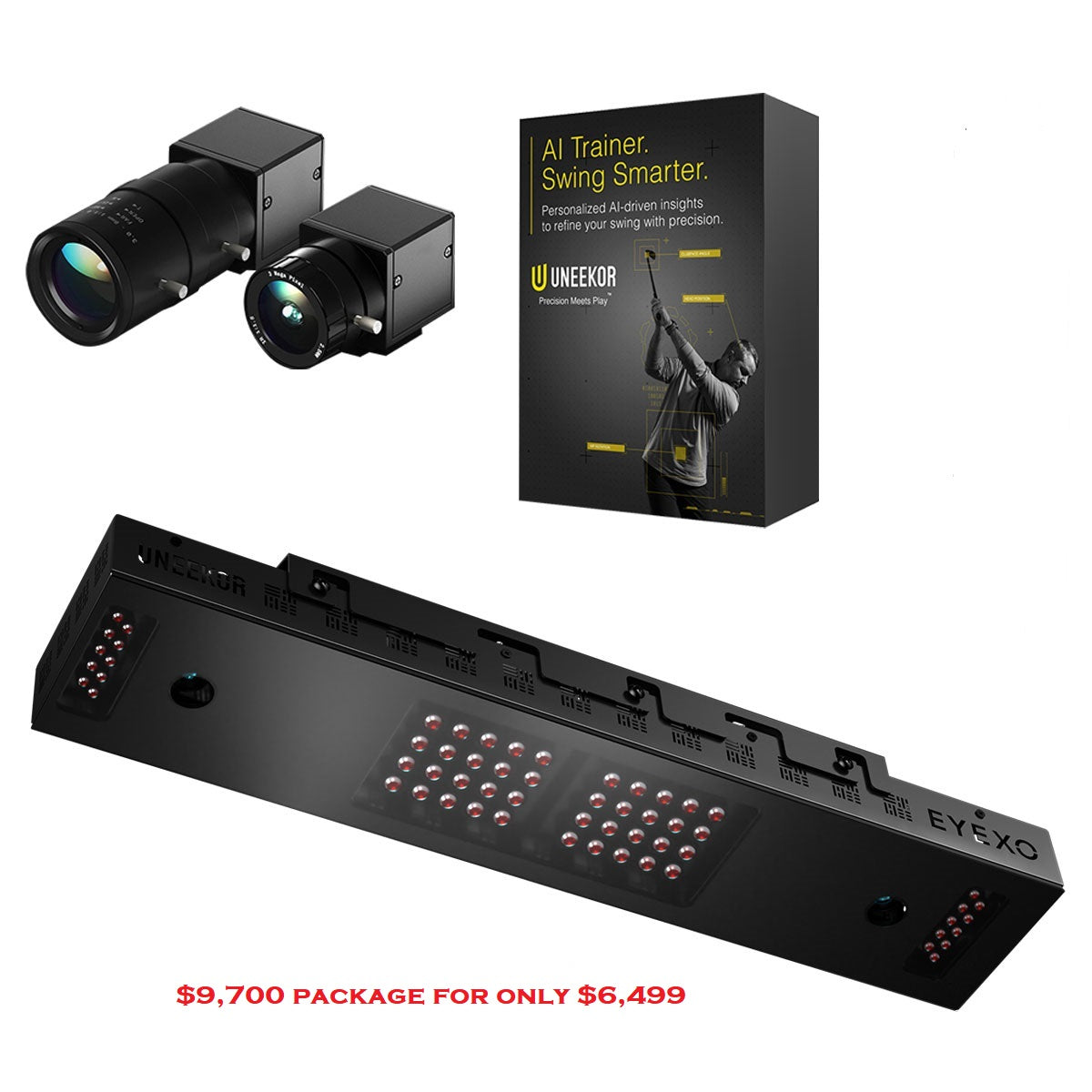 |  |  | |
|---|---|---|---|---|---|
Review Link |
|
|
|
|
|
Product |
|
|
|
|
|
Basic Data (Driving Range) |
|
|
|
|
|
Advanced Data & Features |
|
|
|
|
|
Built-In Simulation |
|
|
|
|
|
Product |
|
|
|
|
|
3rd Party Connector Fee |
|
|
|
|
|
GS Pro |
|
|
|
|
|
Awesome Golf |
|
|
|
|
|
E6 Connect |
|
|
|
|
|
E6 Apex |
|
|
|
|
|
The Golf Club |
|
|
|
|
|
WGT |
|
|
|
|
|
Creative Golf |
|
|
|
|
|
FSX |
—
|
|
|
|
|
Pro Tee |
|
|
|
|
|
Home Tee Hero |
|
|
|
|
|
Product |
|
|
|
|
|
Ball Speed |
|
|
|
|
|
Launch Angle (Vertical) |
|
|
|
|
|
Launch Direction (a.k.a. Side Angle/Horizontal Launch Angle) |
|
|
|
|
|
Spin Rate (Total Spin) |
|
|
|
|
|
Spin Axis (Sometimes Listed as Side Spin/Spin Tilt Axis) |
|
|
|
|
|
Apex Height (a.k.a. Peak Height) |
|
|
|
|
|
Flight Time |
|
|
|
|
|
Descent Angle (a.k.a. Landing Angle, Vertical Descent Angle) |
|
|
|
|
|
Carry Distance |
|
|
|
|
|
Total Distance |
|
|
|
|
|
Roll Distance (a.k.a. Run) |
|
|
|
|
|
Offline from Target (a.k.a. Deviation Distance/Side Total/Dispersion |
|
|
|
|
|
Curve/Shot Shape (a.k.a. Ball Flight Type, Shot Type) |
|
|
|
|
|
Clubhead Speed |
|
|
|
|
|
Smash Factor |
|
|
|
|
|
Angle of Attack |
|
|
|
|
|
Club Path |
|
|
|
|
|
Face Angle |
|
|
|
|
|
Face to Path |
|
|
|
|
|
Dynamic Loft |
|
|
|
|
|
Spin Loft |
|
|
|
|
|
Loft/Lie |
|
|
|
|
|
Closure Rate |
|
|
|
|
|
Low Point |
|
|
|
|
|
Putting Analysis |
|
|
|
|
|
Product |
|
|
|
|
|
Room Depth Required |
|
|
|
|
|
Portable |
|
|
|
|
|
Outside Use |
|
|
|
|
|
Built-In Display |
|
|
|
|
|
Camera-Based or Radar |
|
|
|
|
|
Floor-Based or Overhead |
|
|
|
|
|
Left/Right Handed Friendly |
|
|
|
|
|
Left/Right Adjustment Required |
|
|
|
|
|
Requires Stickers (Ball/Club) |
|
|
|
|
|
Video Playback - Swing |
|
|
|
|
|
Shipping Speed (PlayBetter) |
|
|
|
|
|
Return Policy (PlayBetter) |
|
|
|
|
|
Available on PlayBetter.com |
|
|
|
|
|