


What Golf Simulator Software Works With Uneekor Launch Monitors?
Uneekor launch monitors deliver elite accuracy and value—but the real question is what kind of simulator experience you want to build around them. This guide breaks down Uneekor’s native software, third-party compatibility, and what it actually costs to unlock the setup that fits your goals.
Uneekor competes with the industry’s best for that critical combination of value, accuracy, build quality, and data metrics that we’re all looking for in a golf simulator.
Their stuff is good. That’s well understood at this point.
But what can you do with a Uneekor floor-standing or overhead-mounted launch monitor? What simulator software can you pair it with? What kind of virtual golf experience can you access?
The good news is that Uneekor has invested heavily in building out their own native software ecosystem. Their View platform gives you a really solid practice experience. Refine and Refine+ add in simulated golf courses. And the new GameDay software includes 4K graphics and really detail-oriented course recreations.
But what if you prefer to play GSPro or E6 Connect or some other third-party platforms?
That’s another factor to consider. Uneekor uses a subscription tier system. To unlock third-party software compatibility, you’ll need to upgrade beyond the free Player Package. That means understanding not just what’s compatible but what it’s going to cost you to access it.
So, here’s everything you need to know. I’ll break down which simulator software works with which Uneekor launch monitor, what kind of computing hardware you’ll need to run it, and how much it will cost.
There’s a lot to cover in this one. Let’s get to it.
Uneekor Launch Monitor Models and Software Overview
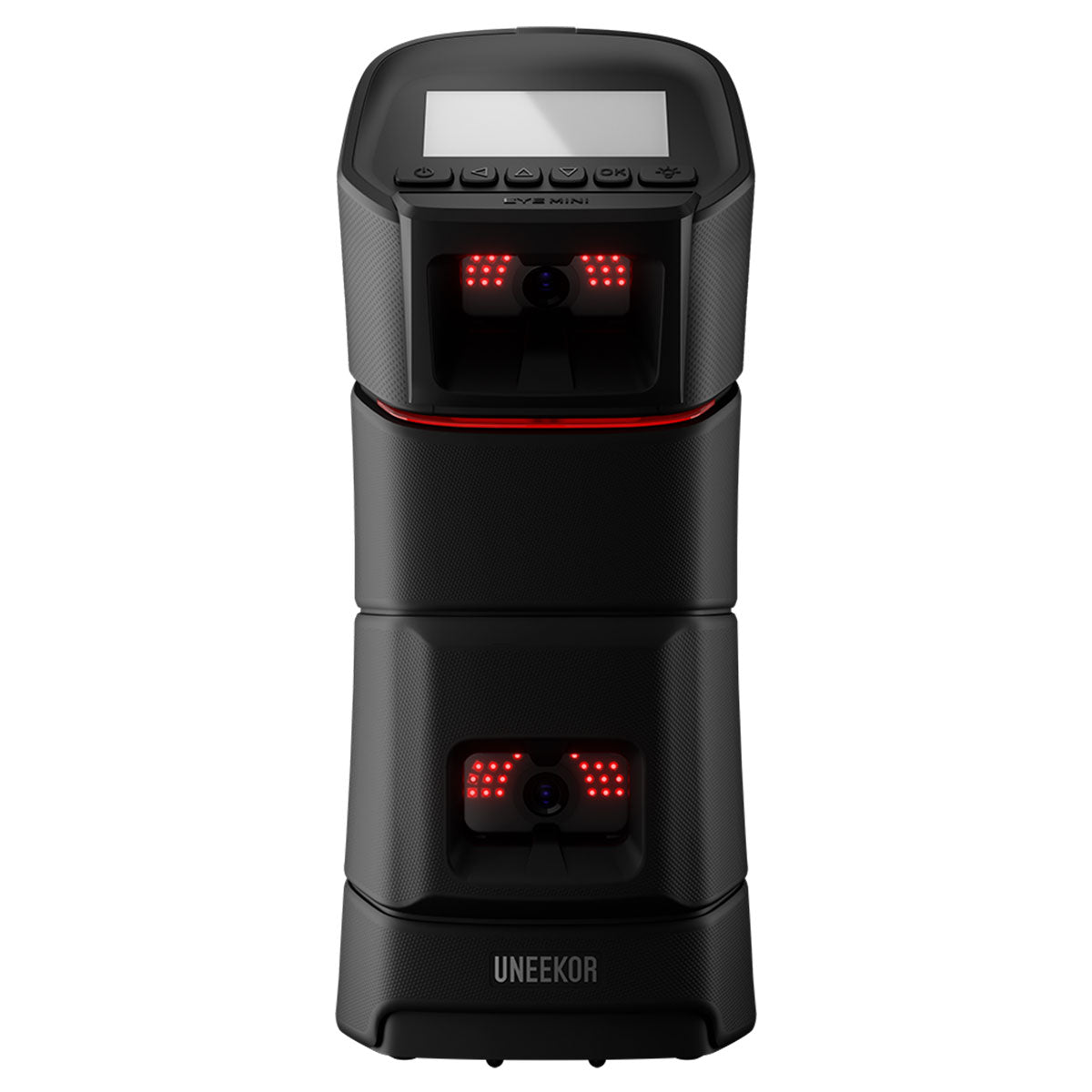
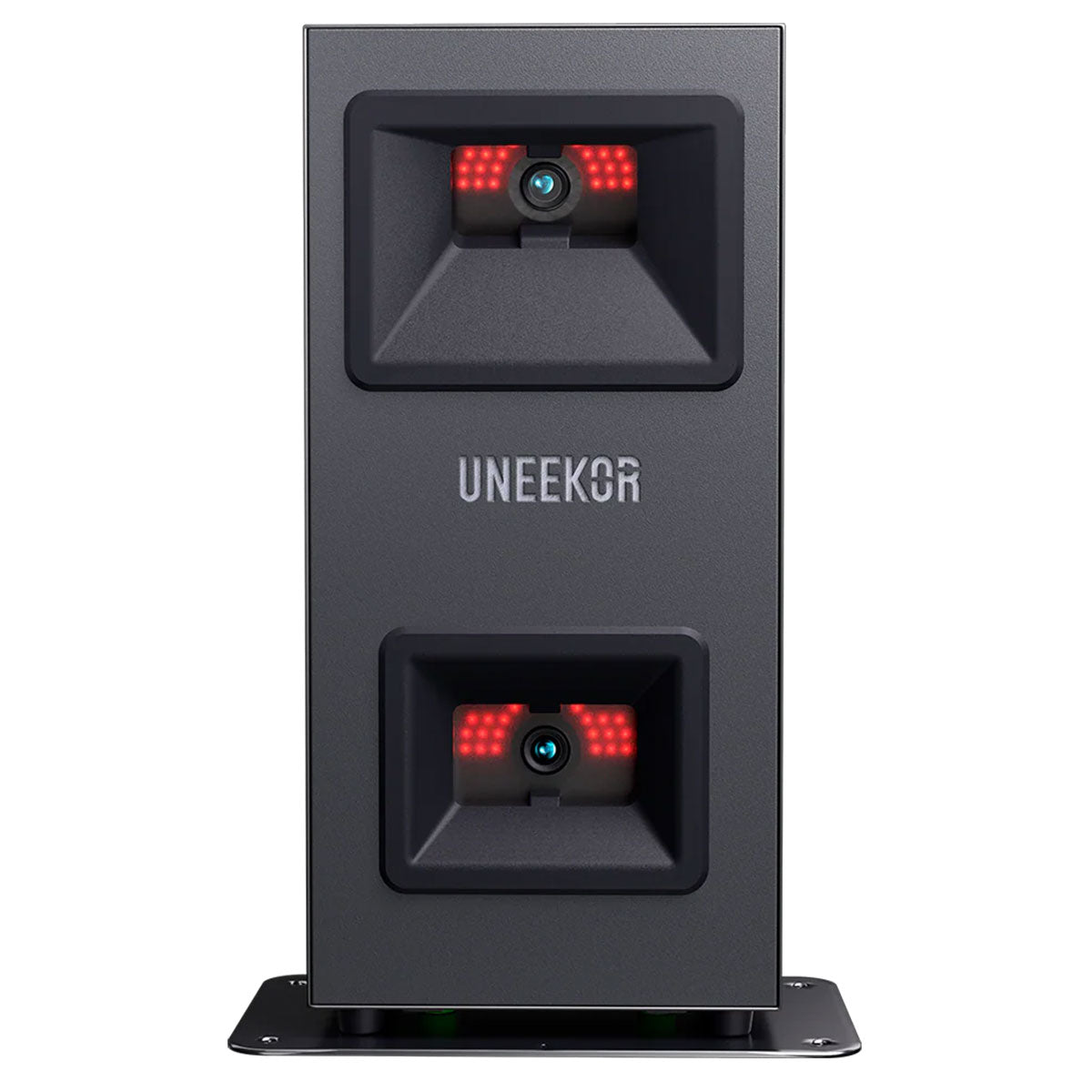
Uneekor is a company that makes camera-based launch monitors that are either floor-standing or overhead-mounted. You’ve got five model options: the Eye XO2, Eye XO, Eye XR, Eye Mini, and Eye Mini Lite.
With each model, you get the Player Package included for free. That gives you full access to Uneekor’s View software and a three-month trial of their Ultimate Package, which unlocks their GameDay and Refine+ sim software as well as third-party software compatibility.
I’ll break down what each software package includes, what it costs, and what you need to run it as we go.
The key thing to understand upfront is that while all Uneekor models work with the native Uneekor software ecosystem, accessing third-party platforms requires upgrading to at least the Pro Package ($199 per year).

Understanding Uneekor System Requirements
Uneekor provides one set of system requirements that cover all of their software package options.
However, while the minimum specs will technically run all Uneekor software, programs like GameDay and Refine+ may run at lower quality if you’re just meeting that bare minimum. And if you plan to use third-party software like GSPro, you’ll want the recommended specs.
Minimum Specifications (for Uneekor software without third-party integrations)
PC System Requirements:
- CPU: Intel Core Ultra 5, Intel Core i5 (twelfth generation or later), or AMD Ryzen 5 (5000 Series or later)
- RAM: 16 GB (16 GB required for Swing Optix cameras)
- GPU: NVIDIA RTX 3060 or equivalent
- GPU Memory: 12 GB
- OS: Windows 10 Home or Pro (64-bit only), Version 22H2
- Dedicated Ethernet ports: 1 or more (one required for launch monitor)
- Internet download speed: 25 Mbps or higher
These specs will run View, Refine/Refine+, and GameDay, though GameDay and Refine+ may not deliver their full visual quality at this level.
Recommended Specifications (for best performance, especially with third-party software like GSPro)
PC System Requirements:
- CPU: Intel Core Ultra 7, Intel Core i7 (13th generation or later), or AMD Ryzen 7 (7000 Series or later)
- RAM: 32 GB or more
- GPU: NVIDIA RTX 4070 Ti or higher
- GPU Memory: 16 GB or more
- Hard Drive: SSD required
- OS: Windows 11 Home or Pro (latest version)
- Dedicated Ethernet ports: 1 or more (one required for launch monitor)
- Internet download speed: 25 Mbps or higher
This gets you full visual quality for GameDay’s 4K graphics, smooth performance with Refine+, and the horsepower needed to run demanding third-party platforms like GSPro at high settings.
A Middle Ground Option
If you want to primarily use View but occasionally play GameDay without investing in the full recommended specs, Uneekor suggests upgrading from the minimum specifications with these adjustments:
- RAM: 32 GB (up from 16 GB)
- GPU: NVIDIA RTX 4070 (up from RTX 3060)
- CPU: Intel i7 (twelfth gen) (up from i5 12th gen)
This approach gives you a smoother GameDay experience without requiring the absolute top-tier hardware.
Uneekor Launch Monitors and View Software Compatibility

View is Uneekor’s practice and data analysis platform, and it’s included for free with every Uneekor launch monitor as part of the Player Package.
This is an excellent training tool that gives you all of your ball and club data in multiple formats, including aerial shot dispersion plots, slow-motion impact replays, session reports, club comparisons, and a lot of other analysis options that allow you to see your data in different ways that might be helpful.
And what’s cool about the View software is that it works with both PC and iOS (iPad), which is a big advantage over some competitors that lock you into Windows-only environments.
View does not include any simulated golf courses. This is a platform for practice and swing analysis only.
What kind of computer do I need to run View with Uneekor launch monitors?
View will run on the minimum Uneekor specifications detailed above. Since View is focused on data display and analysis rather than 3D course rendering, it doesn’t demand the same graphics firepower as GameDay or third-party simulator software.
View also works on iPad, which is an awesome advantage for many consumers shopping the limited options in this tier.
iOS Requirements:
- iPad Pro (first generation or later)
- iPad (fifth generation or later)
- iPad Air (third generation or later)
- iPad Mini (fifth generation or later)
- iOS 13 or newer
Note: The Uneekor Eye Mini also includes View Air, which is an iPad-exclusive companion app that links your iPad and the Eye Mini’s built-in display.
What does it cost to use View?
Nothing. View comes with any of the Uneekor launch monitors. It’s the one piece of software that won’t cost you anything extra.
Uneekor Launch Monitors and Refine/Refine+ Compatibility
Refine is Uneekor’s entry-level simulator platform, while Refine+ expands the experience with a larger course library.
Both platforms feature short game practice facilities, challenge modes, stroke play, and driving range environments with realistic visuals. The graphics are solid and the gameplay is smooth, though they don’t quite reach the visual impressiveness of newer platforms like GameDay or FSX Play from Foresight Sports.
With Refine, you get five courses. And with Refine+, you get 20. You won’t get any famous layouts, but there is a good variety.
What kind of computer do I need to run Refine/Refine+ with Uneekor launch monitors?
Refine and Refine+ will run on the minimum Uneekor specifications detailed above, though Uneekor notes they may run at lower quality on minimum specs. For the best visual experience, the recommended specifications are ideal.
What does it cost to play Refine/Refine+?
To play the five Refine courses, you need the Pro Package, which costs $199 a year.
Refine+ (20 courses) is included with the Champion Package ($399 a year) or Ultimate Package ($599 a year).

Uneekor Launch Monitors and GameDay Compatibility
GameDay is Uneekor’s answer to premium simulation platforms like FSX Play and GSPro. It features true 4K graphics, detailed course replications, and multiplayer formats.
Basically, if you’re trying to go all-in on the sim experience with a Uneekor launch monitor, you want GameDay. This is their flagship software platform.
The GameDay course library is at 34 courses and growing. And you do currently get a few biggies like Pebble Beach and Spyglass Hill.
GameDay includes multiple game modes like stroke play, scramble, foursomes, four balls, and various mini-games like longest drive and closest to the pin. There’s also an on-course practice mode that lets you drop balls anywhere to work on specific shots.
The platform supports both local multiplayer and online competitive play.

What kind of computer do I need to run GameDay with Uneekor launch monitors?
GameDay will technically run on the minimum Uneekor specifications, but Uneekor specifically notes that programs like GameDay require a more powerful PC due to their advanced graphics and visual features.
For the full 4K visual experience that GameDay is designed to deliver, you’ll want to use the recommended specifications detailed above. At minimum, consider the middle-ground upgrades for a smoother experience.
What does it cost to play GameDay?
You’ve got a couple of choices. You can buy a standalone GameDay subscription for $199 per year. Or the Ultimate Package for $599 per year includes GameDay, Refine+, AI Trainer, and expanded Power U Reports.
Your three-month Ultimate Package trial gives you full access to GameDay, so you can test it before committing to a subscription.

Uneekor Launch Monitors and AI Trainer Compatibility
AI Trainer is Uneekor’s AI-powered swing analysis tool that works within the View software platform.
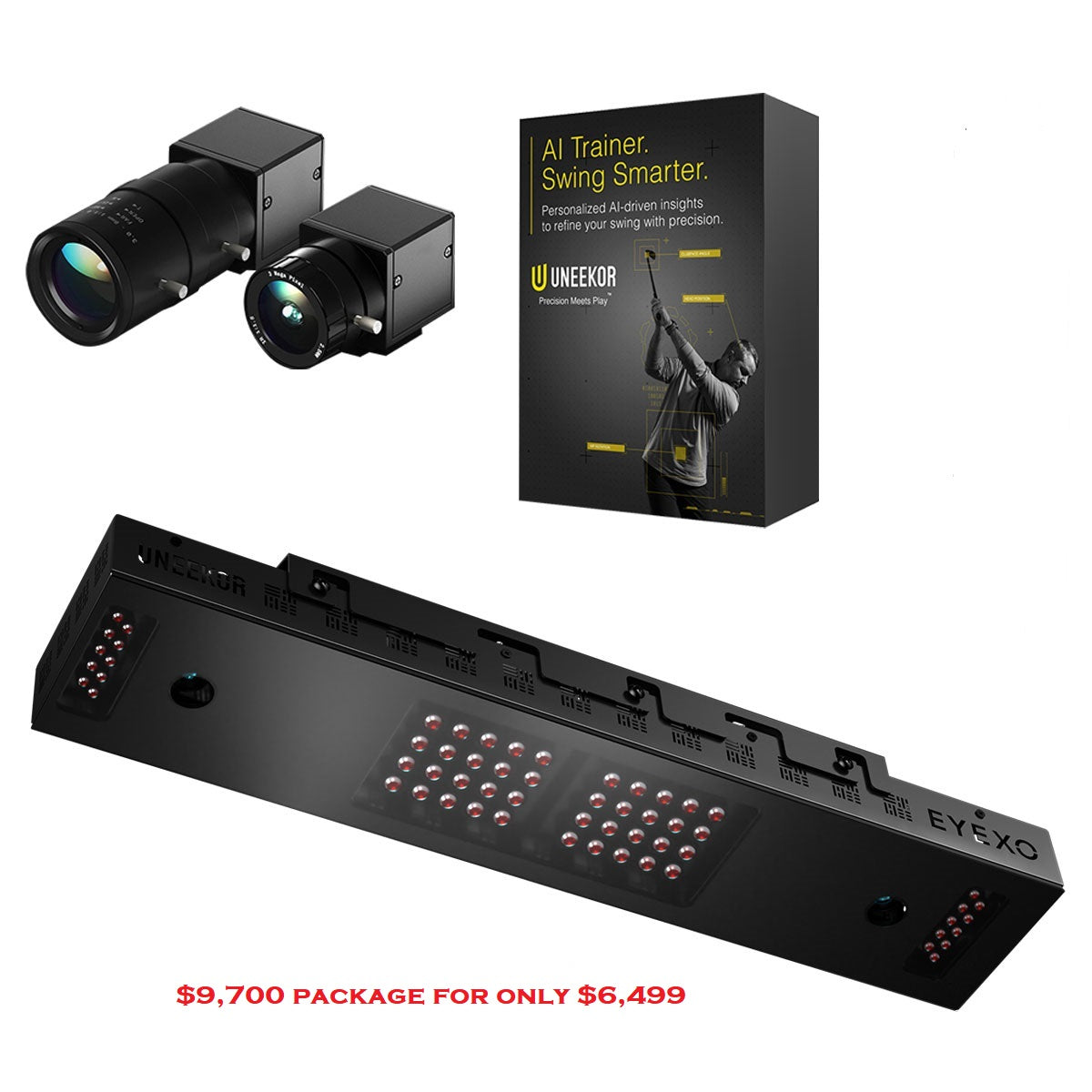
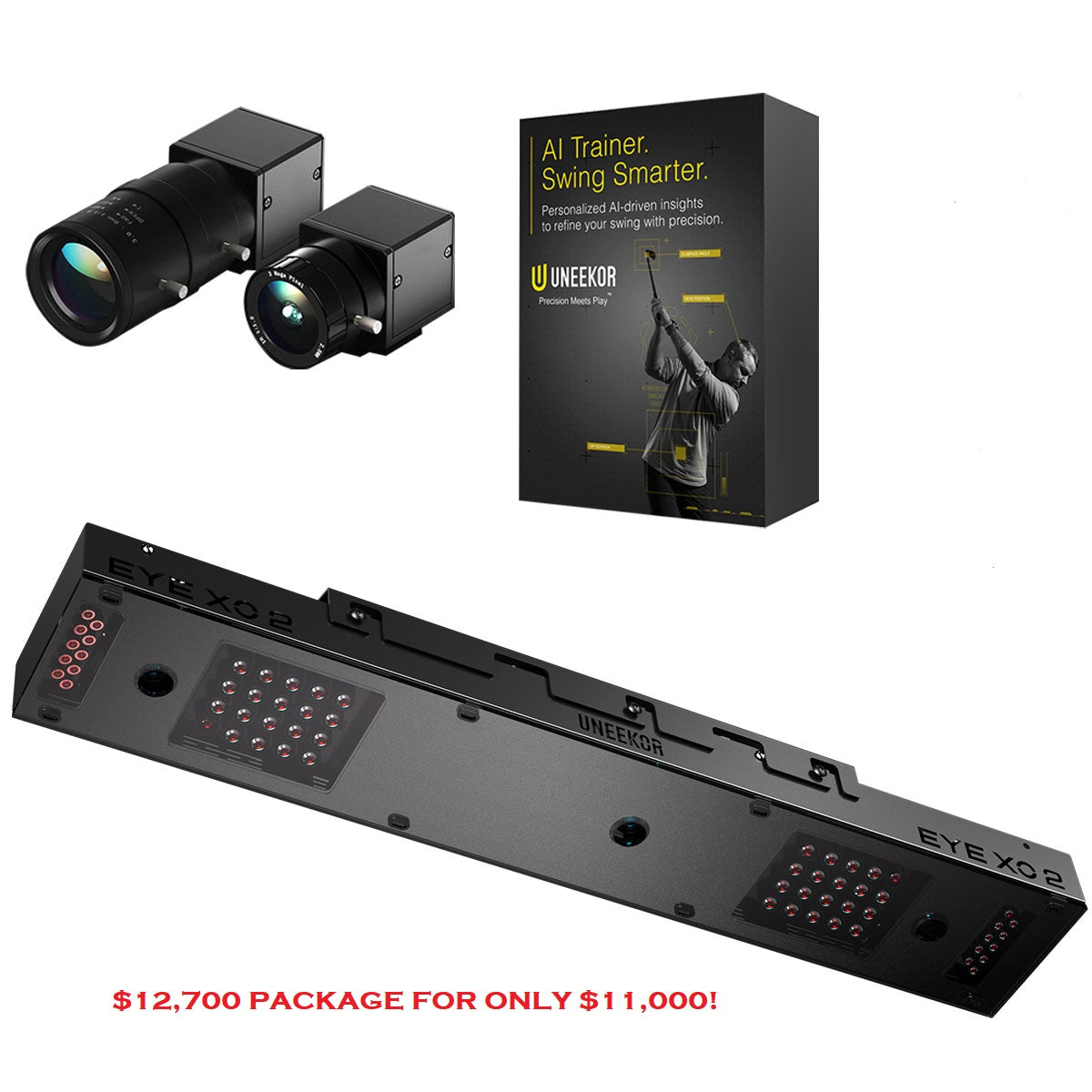
Using proprietary Swing Optix (sold separately), AI Trainer captures high-speed, blur-free video from face-on and down-the-line angles. The system analyzes more than 60 swing checkpoints in less than five seconds.
AI Trainer requires two Swing Optix cameras, which are not included with any Uneekor launch monitor and must be purchased separately.
What kind of computer do I need to run AI Trainer with Uneekor launch monitors?
AI Trainer operates within View software and requires the minimum Uneekor specifications with 16 GB RAM when using Swing Optix cameras.
What does it cost to use AI Trainer?
AI Trainer is included with the Champion Package ($399 a year) or Ultimate Package ($599 a year). It can also be purchased as a standalone add-on for $99 per year.
Remember, you’ll also need to purchase two Swing Optix cameras separately.
Uneekor Launch Monitors and GSPro Compatibility
GSPro is one of the most popular third-party simulator platforms. A lot of sim users love it for the super-realistic ball fight physics, 4K graphics, and for the passionate community that’s constantly creating new courses.
All Uneekor launch monitors are compatible with GSPro, but you’ll need to upgrade to at least the Pro Package to unlock third-party software access.
What kind of computer do I need to run GSPro with Uneekor launch monitors?
GSPro is PC-only and requires a capable gaming computer, especially if you want smooth 4K performance.
Recommended minimum hardware for 1080p play:
- 10 GB free space
- GTX 3060
- 16 GB memory
- Stable internet connection
- Ethernet port and/or BT depending on launch monitor
Recommended hardware for a great 1080p experience:
- 20 GB free space
- RTX 3070/3060ti GPU
- 16 GB memory
Recommended hardware for a great 4K experience:
- 20 GB free space
- RTX 3080 (or better) GPU
- 32 GB memory
What does it cost to play GSPro?
GSPro costs $250 per year.
Additionally, you’ll need the Uneekor Pro Package ($199 per year) or higher to enable third-party software compatibility.
Uneekor Launch Monitors and E6 Connect Compatibility
E6 Connect is one of the most established simulator platforms, offering an extensive course library, multiple game modes, and compatibility with both PC and iOS devices.
All Uneekor launch monitors work with E6 Connect, assuming you have the appropriate Uneekor subscription (Pro Package or higher).
What kind of computer do I need to run E6 Connect with Uneekor launch monitors?
One great advantage of E6 Connect is its dual-platform support.
PC System Requirements:
- Intel i5 Processor | 8 GB RAM
- NVIDIA 1070 Graphics Card or equivalent (dedicated GPU with DirectX 11 support)
- 25 GB of hard drive space | Windows 10 64-bit (Required)
- Internet Connection (Required)
What does it cost to play E6 Connect?
E6 Connect offers three licensing options:
- E6 Connect Home License: A one-time purchase of $1,000, providing access to 27 courses without the need for an annual subscription.
- E6 Connect 1-Year Basic Subscription: Priced at $300 per year, this subscription offers access to a rotating selection of courses and mini-games.
- E6 Connect 1-Year Expanded Subscription: At $600 per year, this subscription grants access to the full E6 Connect library, excluding premium content.
And, remember, you’ll also need the Uneekor Pro Package or higher to access third-party software.
Uneekor Launch Monitors and Other Third-Party Software Compatibility
Beyond GSPro and E6 Connect, Uneekor launch monitors also support several other third-party simulator platforms, including Creative Golf 3D and ProTee Play.
All of these platforms require the Pro Package or higher for compatibility.
Uneekor Launch Monitors and PinSeeker Compatibility
PinSeeker is transforming sim golf with quick closest-to-the-pin challenges and immediate real-cash payouts. It’s becoming very popular and requires only as much time as anyone cares to commit, with new contests starting continuously.
What kind of computer do I need to run PinSeeker with Uneekor launch monitors?
The PinSeeker app is fully integrated with most golf simulator software packages. Participants can compete against other sim golfers who are using the exact same simulator software.
So, hardware requirements for PinSeeker are the same as whatever simulator software you are using. There are no additional requirements.
What does it cost to play PinSeeker?
Because PinSeeker comes integrated with compatible simulator software packages, there is no additional cost to use PinSeeker. However, golfers have the choice to wager money in closest-to-the-pin contests against similar-skilled players who are using the same simulator software. Options range from free contests to buy-ins of more than $100.
Everything You Need To Know About Uneekor Software Options
There’s a lot to digest when it comes to understanding all of your options for playing simulator golf using a Uneekor launch monitor.
What’s great is that Uneekor’s native software is impressive. View is an excellent practice tool. GameDay is a genuine competitor to premium platforms. And Uneekor’s AI Trainer offers cutting-edge swing analysis.
It’s also very good news that you’ve got multiple third-party software options like GSPro, E6 Connect, and others.
The tradeoff is that you’re looking at subscription costs. To access third-party software, you need at least the Pro Package at $199 annually. And to go all-in on all that the Uneekor ecosystem includes, you’ll need to step up to the $599-a-year Ultimate Package.
You now have everything you need to make an informed decision and find the right Uneekor pathway for the simulator golf experience that best fits your individual situation.
About PlayBetter Golf Reviewer Marc Sheforgen
Marc "Shef" Sheforgen is a golf writer whose passion for the game far exceeds his ability to play it well. Marc covers all things golf, from product reviews and equipment recommendations to event coverage and tournament analysis. When he’s not playing, watching, or writing about golf, he enjoys traveling (often golf-related), youth sports coaching, volunteering, and record collecting.
 |  |  |  |  | |
|---|---|---|---|---|---|
Review Link |
|
|
|
|
|
Overall Rating (Out of 10) |
|
|
—
|
—
|
—
|
Ease of Setup |
|
|
—
|
—
|
—
|
Data |
|
|
—
|
—
|
—
|
Accuracy |
|
|
—
|
—
|
—
|
Simulation Quality |
|
|
—
|
—
|
—
|
Price |
|
|
—
|
—
|
—
|
Product |
|
|
|
|
|
Basic Data (Driving Range) |
|
|
|
|
|
Advanced Data & Features |
|
|
|
|
|
Built-In Simulation |
|
|
|
|
|
Product |
|
|
|
|
|
3rd Party Connector Fee |
|
|
|
|
|
GS Pro |
|
|
|
|
|
Awesome Golf |
|
|
|
|
|
E6 Connect |
|
|
|
|
|
E6 Apex |
|
|
|
|
|
The Golf Club |
|
|
|
|
|
WGT |
|
|
|
|
|
Creative Golf |
|
|
|
|
|
FSX |
|
|
|
|
|
Pro Tee |
|
|
|
|
|
Home Tee Hero |
|
|
|
|
|
Product |
|
|
|
|
|
Ball Speed |
|
|
|
|
|
Launch Angle (Vertical) |
|
|
|
|
|
Launch Direction (a.k.a. Side Angle/Horizontal Launch Angle) |
|
|
|
|
|
Spin Rate (Total Spin) |
|
|
|
|
|
Spin Axis (Sometimes Listed as Side Spin/Spin Tilt Axis) |
|
|
|
|
|
Apex Height (a.k.a. Peak Height) |
|
|
|
|
|
Flight Time |
|
|
|
|
|
Descent Angle (a.k.a. Landing Angle, Vertical Descent Angle) |
|
|
|
|
|
Carry Distance |
|
|
|
|
|
Total Distance |
|
|
|
|
|
Roll Distance (a.k.a. Run) |
|
|
|
|
|
Offline from Target (a.k.a. Deviation Distance/Side Total/Dispersion |
|
|
|
|
|
Curve/Shot Shape (a.k.a. Ball Flight Type, Shot Type) |
|
|
|
|
|
Clubhead Speed |
|
|
|
|
|
Smash Factor |
|
|
|
|
|
Angle of Attack |
|
|
|
|
|
Club Path |
|
|
|
|
|
Face Angle |
|
|
|
|
|
Face to Path |
|
|
|
|
|
Dynamic Loft |
|
|
|
|
|
Spin Loft |
|
|
|
|
|
Loft/Lie |
|
|
|
|
|
Closure Rate |
|
|
|
|
|
Low Point |
|
|
|
|
|
Putting Analysis |
|
|
|
|
|
Product |
|
|
|
|
|
Room Depth Required |
|
|
|
|
|
Portable |
|
|
|
|
|
Outside Use |
|
|
|
|
|
Built-In Display |
|
|
|
|
|
Camera-Based or Radar |
|
|
|
|
|
Floor-Based or Overhead |
|
|
|
|
|
Left/Right Handed Friendly |
|
|
|
|
|
Left/Right Adjustment Required |
|
|
|
|
|
Requires Stickers (Ball/Club) |
|
|
|
|
|
Video Playback - Swing |
|
|
|
|
|
Shipping Speed (PlayBetter) |
|
|
|
|
|
Return Policy (PlayBetter) |
|
|
|
|
|
Available on PlayBetter.com |
|
|
|
|
|