


Uneekor Eye XR Space Requirements - How Much Space Do You Need? [Home Golf Simulator Guide - Full Indoor Specs]
The Uneekor Eye XR delivers all the benefits of an overhead golf simulator—without club stickers or marked balls—at a surprisingly accessible price. But its rear-mounted design means your room dimensions need to be just right before you install.
Overhead-mounted golf launch monitors are about as close to perfect as indoor simulator setups get.
Nothing cluttering the floor. Nothing to move between shots. It’s just clean, clear space that looks professional and is far more functional for daily use than a floor-standing launch monitor.
And with the Uneekor Eye XR, it gets even better.
Not only do you get all of those overhead advantages, but you also get a launch monitor that doesn’t require club stickers or special marked golf balls. Plus, it only costs $6,999.99, which makes it one of the most affordable overhead launch monitors you can buy.
But none of those advantages matter if your room doesn’t have some fairly specific dimensions.
The Eye XR is a rear-mounted overhead unit, which means it installs behind you rather than in front of you like most other ceiling-mounted systems. And that rear-mounting position comes with space requirements that are a bit different than with other types of launch monitors.
So, let’s figure out exactly what type of indoor space you’ll need to pull off a successful Uneekor Eye XR setup.
Take a Quick Look at the Uneekor EYE XR with Golf Simulator Expert Daniel
How Much Indoor Space Do You Need for a Uneekor Eye XR Golf Simulator?

Alright, as noted, the Eye XR mounts to the ceiling behind the golfer. This is a key point to understand. It’s fundamentally different from front-mounted overhead units like the Uneekor Eye XO2 or side-mounted floor units like the Garmin R50.
Because the Eye XR tracks shots from behind, similar to how a floor-standing radar unit like the FlightScope Mevo Gen2 operates, you’ll need more room depth than what’s required with a front-mounted or side-mounted system.
But unlike a floor-standing radar unit that you can move around and adjust, the Eye XR is a permanent ceiling installation. That means getting the positioning exactly right is critical.
Here’s what Uneekor specifies for proper Eye XR installation:
Ceiling Height: 9 to 10 feet
That’s not a minimum. That’s a specific range. Your ceiling height needs to fall within that 9 to 10 foot window for the unit to function properly. If your ceilings are 8 feet tall or 11 feet tall, the Eye XR won’t work in your space without modifications like a ceiling drop mount to bring the unit into the proper range.
Launch Monitor Positioning: 3’ 6” Behind the Center of Your Hitting Zone
The Eye XR must be mounted exactly 3 feet 6 inches behind where the ball sits at address. This precise positioning is critical for accurate shot tracking.
Space in Front: About 10 Feet to Your Impact Screen or Net
You’ll need enough room for the ball to travel from your clubface to your screen or net without bouncing back into you. Most golfers will find that having around 10 feet between their hitting position and the screen for comfort and safety is ideal.
Space Behind: At Least 3 to 4 Feet for Backswing Clearance
How much room you need around you to clear any walls will of course depend on the length of each golfer’s swing. So mileage may vary. But you’ll need enough room to make a full backswing with your longest club (your driver) without hitting the wall. And a little bit of extra space is definitely nice. You don’t want the mental burden that comes with only having enough space to barely avoid putting a hole in the wall.
Room Width: At Least 10 Feet, but More is Better
Once again, you really only need enough room width to be able to swing your longest club comfortably and safely. Generally speaking, 10 feet of width is a good minimum. That said, if you plan to play with both righties and lefties, having a width of 15 feet or more will make for a more practical setup that can easily accommodate everyone.

The Benefits of the Uneekor Eye XR Rear-Mounted Overhead Launch Monitor
Most overhead launch monitors, including leading options like the Uneekor Eye XO2 and the Foresight Falcon, are front-mounted. They install above and in front of the golfer, looking down at the ball from the target side.
The Eye XR is different. It mounts behind you, tracking the ball from the same perspective as a floor-standing radar unit.
That rear-mounting position creates a few notable benefits.
First of all, there’s nothing in front of your line of sight. Because the Eye XR sits behind you, there’s nothing in your field of vision. That may seem like a small thing, but it can contribute to a more immersive, distraction-free experience.
But the even bigger Eye XR advantage is that you get all of the data without needing club stickers or special golf balls.
Even premium overhead simulators like the Foresight Falcon require club stickers to unlock full club data. And while stickers aren’t the end of the world, they’re annoying. You’ve got to apply them correctly. You’ve got to replace them when they wear out. And if you’ve got friends coming over to use your simulator, you’ve got to either put stickers on their clubs or accept that you’re not getting full data.
The Eye XR uses AI-powered club tracking to deliver 19 ball and club data points without any stickers or special marked balls. That’s a massive improvement to the user experience and one of the key reasons this launch monitor has been so popular.
Is the Uneekor Eye XR a Good Indoor Golf Simulator Option?
For all the reasons just spelled out, the Eye XR is an absolutely fantastic indoor golf simulator choice.
At $6,999.99 it’s also one of the most affordable ways to go overhead. And the fact that it doesn’t require club stickers or special balls makes it even more compelling.
You’re getting 19 data points, including full club data. You’re getting compatibility with third-party simulator software like GSPro and E6 Connect. You’re getting access to Uneekor’s new GameDay software, which gives the Uneekor ecosystem a truly premium native sim experience. And you’re getting a clean, out-of-the-way installation that will make your simulator space look and feel like a high-end studio.
Now, there are a couple of tradeoffs with the Eye XR.
The hitting zone is smaller at 13.7 inches by 11.8 inches, so you’ll need to be more deliberate about ball placement.
And it’s missing a few advanced club data points like Angle of Attack and Dynamic Loft that are available in units like the Eye XO2 or Foresight Falcon.
But for a lot of golf simulator users, those are limitations they can live with. Especially for as attractive as the price is.
The bigger question for most golfers considering the Eye XR is can their space accommodate it.
If you’ve got ceilings that are 9 to 10 feet tall, and you’ve got enough room depth to mount the Eye XR 3 feet 6 inches behind the hitting area plus the room in front and behind you’ll need to comfortably swing a club and to not have the ball rebound into you, you’re in business.
You’re ready to build a permanent indoor golf simulator studio, and the Uneekor Eye XR is one of the best value options for helping you realize all of those overhead advantages.
About PlayBetter Golf Reviewer Marc Sheforgen
Marc Sheforgen is a golf writer whose passion for the game far exceeds his ability to play it well. Marc covers all things golf, from product reviews and equipment recommendations to event coverage and tournament analysis. When he’s not playing, watching, or writing about golf, he enjoys traveling (often golf-related), youth sports coaching, volunteering, and record collecting.
 |  |  |  Foresight Falcon Golf Overhead Launch MonitorFrom $16,999.00 | 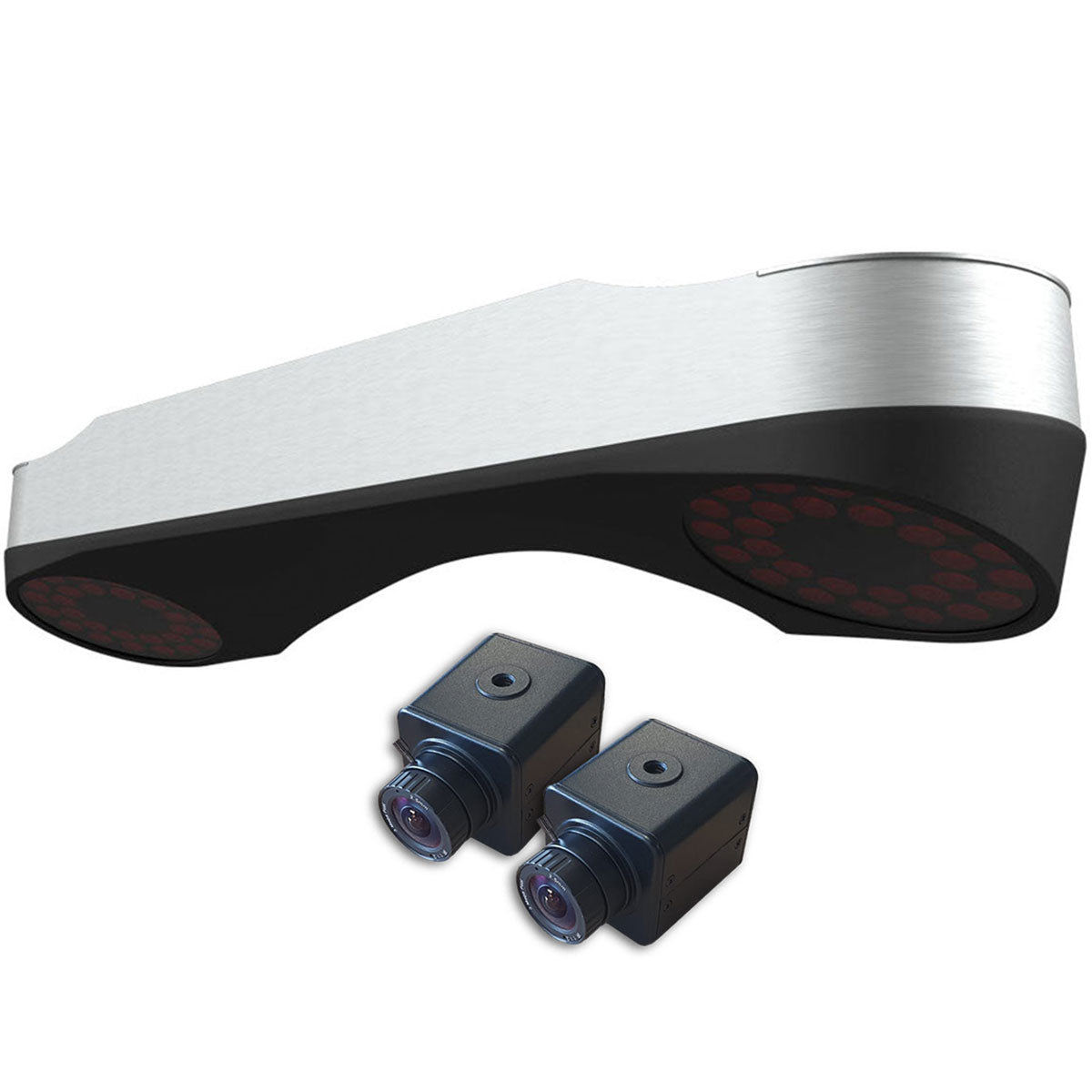 ProTee VX Golf Launch Monitor$6,500.00 | |
|---|---|---|---|---|---|
Review Link |
|
|
|
|
|
Product |
|
|
|
|
|
Basic Data (Driving Range) |
|
|
|
|
|
Advanced Data & Features |
|
|
|
|
|
Built-In Simulation |
|
|
|
|
|
Product |
|
|
|
|
|
3rd Party Connector Fee |
|
|
|
|
|
GS Pro |
|
|
|
|
|
Awesome Golf |
|
|
|
|
|
E6 Connect |
|
|
|
|
|
E6 Apex |
|
|
|
|
|
The Golf Club |
|
|
|
|
|
WGT |
|
|
|
|
|
Creative Golf |
|
|
|
|
|
FSX |
|
|
|
|
—
|
Pro Tee |
|
|
|
|
|
Home Tee Hero |
|
|
|
|
|
Product |
|
|
|
|
|
Ball Speed |
|
|
|
|
|
Launch Angle (Vertical) |
|
|
|
|
|
Launch Direction (a.k.a. Side Angle/Horizontal Launch Angle) |
|
|
|
|
|
Spin Rate (Total Spin) |
|
|
|
|
|
Spin Axis (Sometimes Listed as Side Spin/Spin Tilt Axis) |
|
|
|
|
|
Apex Height (a.k.a. Peak Height) |
|
|
|
|
|
Flight Time |
|
|
|
|
|
Descent Angle (a.k.a. Landing Angle, Vertical Descent Angle) |
|
|
|
|
|
Carry Distance |
|
|
|
|
|
Total Distance |
|
|
|
|
|
Roll Distance (a.k.a. Run) |
|
|
|
|
|
Offline from Target (a.k.a. Deviation Distance/Side Total/Dispersion |
|
|
|
|
|
Curve/Shot Shape (a.k.a. Ball Flight Type, Shot Type) |
|
|
|
|
|
Clubhead Speed |
|
|
|
|
|
Smash Factor |
|
|
|
|
|
Angle of Attack |
|
|
|
|
|
Club Path |
|
|
|
|
|
Face Angle |
|
|
|
|
|
Face to Path |
|
|
|
|
|
Dynamic Loft |
|
|
|
|
|
Spin Loft |
|
|
|
|
|
Loft/Lie |
|
|
|
|
|
Closure Rate |
|
|
|
|
|
Low Point |
|
|
|
|
|
Putting Analysis |
|
|
|
|
|
Product |
|
|
|
|
|
Room Depth Required |
|
|
|
|
|
Portable |
|
|
|
|
|
Outside Use |
|
|
|
|
|
Built-In Display |
|
|
|
|
|
Camera-Based or Radar |
|
|
|
|
|
Floor-Based or Overhead |
|
|
|
|
|
Left/Right Handed Friendly |
|
|
|
|
|
Left/Right Adjustment Required |
|
|
|
|
|
Requires Stickers (Ball/Club) |
|
|
|
|
|
Video Playback - Swing |
|
|
|
|
|
Shipping Speed (PlayBetter) |
|
|
|
|
|
Return Policy (PlayBetter) |
|
|
|
|
|
Available on PlayBetter.com |
|
|
|
|
|