


Foresight GC3 with PlayBetter SimStudio™ BYO (Build Your Own) Package – Custom Home Golf Simulator Studio Builder with Impact Screen, Enclosure, Optional Mats, Projector & More
 PlayBetter is a trusted Authorized Dealer for this brand. All purchases are
eligible for full manufacturer warranty protection.
PlayBetter is a trusted Authorized Dealer for this brand. All purchases are
eligible for full manufacturer warranty protection.
Original price
$10,124.00
Original price
$10,124.00
-
Original price
$10,124.00
Original price
$10,124.00
Current price
$6,194.00
$6,194.00
-
$6,194.00
Current price
$6,194.00
Need Help?
Talk with an expert Need expert advice?

⏳ LIMITED-TIME DEAL: SAVE $3,800 ON FORESIGHT GC3 SIMSTUDIO™ PACKAGES + FREE Protective Case — Order TODAY!
BUILD THE FORESIGHT GC3 HOME STUDIO OF YOUR DREAMS with the PlayBetter SimStudio™ BYO Package. The Foresight Sports GC3 Launch Monitor combines accurate performance data, portability, and simulation-ready versatility. Gaming PC required (sold separately) to run simulator software.
Package includes: Foresight GC3, Protective Metal Case (FREE), Enclosure, Impact Screen, and Frame. Note: Ball Tray included with optional Optoma GT2300HDR projector upgrade. View studio layout & dimensions.
Here are some other great Foresight GC3 options:
- Foresight GC3 Golf Simulator & Launch Monitor
- Foresight GC3 (Certified Pre-Owned) - 100% Foresight, 75% Price. Limited Stock.
- Foresight GC3 with PlayBetter SimStudio™ COMPLETE Package (All-Inclusive Studio Package)
-
Foresight GC3 with PlayBetter SimStudio™ ESSENTIALS Package (Simplified Studio Package)
- Foresight GC3 Hitting Net Studio Package
🏌 Need help choosing? Get personalized recommendations from a PlayBetter Golf Simulator Advisor.


Foresight GC3 with PlayBetter SimStudio™ BYO (Build Your Own) Package – Custom Home Golf Simulator Studio Builder with Impact Screen, Enclosure, Optional Mats, Projector & More
PlayBetter is a trusted Authorized Dealer for this brand. All purchases are
eligible for full manufacturer warranty protection.
Original price
$10,124.00
Original price
$10,124.00
-
Original price
$10,124.00
Original price
$10,124.00
Current price
$6,194.00
$6,194.00
-
$6,194.00
Current price
$6,194.00
Need Help?
Talk with an expert Need expert advice?
⏳ LIMITED-TIME DEAL: SAVE $3,800 ON FORESIGHT GC3 SIMSTUDIO™ PACKAGES + FREE Protective Case — Order TODAY!
BUILD THE FORESIGHT GC3 HOME STUDIO OF YOUR DREAMS with the PlayBetter SimStudio™ BYO Package. The Foresight Sports GC3 Launch Monitor combines accurate performance data, portability, and simulation-ready versatility. Gaming PC required (sold separately) to run simulator software.
Package includes: Foresight GC3, Protective Metal Case (FREE), Enclosure, Impact Screen, and Frame. Note: Ball Tray included with optional Optoma GT2300HDR projector upgrade. View studio layout & dimensions.
Here are some other great Foresight GC3 options:
- Foresight GC3 Golf Simulator & Launch Monitor
- Foresight GC3 (Certified Pre-Owned) - 100% Foresight, 75% Price. Limited Stock.
- Foresight GC3 with PlayBetter SimStudio™ COMPLETE Package (All-Inclusive Studio Package)
-
Foresight GC3 with PlayBetter SimStudio™ ESSENTIALS Package (Simplified Studio Package)
- Foresight GC3 Hitting Net Studio Package
🏌 Need help choosing? Get personalized recommendations from a PlayBetter Golf Simulator Advisor.
Why Customers Trust PlayBetter.com for Home Golf Simulation
| Components | DIY | Essentials | Complete |
|---|---|---|---|
| Enclosure, Screen, Frame | ☑️ | ☑️ | ☑️ |
| 5x5 Hitting Mat | Customizable | ☑️ | ☑️ |
| Landing/Putting Turf | Customizable | ✖️ | ☑️ |
| Side Barriers | Customizable | ✖️ | ☑️ |
| Optoma ZW350ST | Customizable | ☑️ | ☑️ |
| Optoma GT2300HDR with Ball Tray | Customizable | ✖️ | Optional Upgrade |
| SHOP STUDIO PACKAGES | SHOP DIY | SHOP ESSENTIALS | SHOP COMPLETE |

Everything You Need for a Foresight GC3 & PlayBetter SimStudio™ Home Golf Simulator Package
Want complete control over your build? The PlayBetter SimStudio™ DIY Package can be configured exactly the way you like it. Add (or skip) premium upgrades such as our tour‑grade hitting mat, putting turf, and your choice of projector, so you only pay for what you’ll actually use. It’s the ideal solution for golfers who already own some studio gear and want a truly personalized, plug‑and‑play setup.
Tailored to Your Space
Worried about space constraints? Fret not! The PlayBetter SimStudio™ ensures a perfect fit for any available area in your home, whether it's the living room, basement, or garage.
Safety Assured, Quality Guaranteed
The PlayBetter SimStudio™ DIY Package comes with an enclosure, screen, and frame, constructed with high-quality materials to provide a secure environment for your practice sessions.
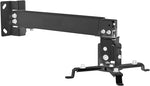
Projectors are available in 4:3 or 16:19 Resolution. Please note: Our product images are generated, actual projector dimensions may appear slightly different.
WHAT'S INCLUDED IN EVERY PACKAGE?


OPTIONAL PLAYBETTER SIMSTUDIO™ UPGRADES


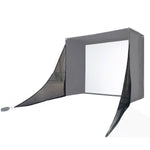


Find the Perfect Fit with 4 PlayBetter SimStudio™ Sizes
PlayBetter SimStudio8™ - Compact Powerhouse
- Dimensions: 8' (Wide) x 7.5' (Tall) x 4' (Deep)
- Best for: Small rooms, apartments, or tighter garage spaces.
- Compact but still powerful; fits most standard ceiling heights.
PlayBetter SimStudio10™ - The Perfect Starter Size
- Dimensions: 10' (Wide) x 8' 6" (Tall) x 5' 4" (Deep)
- Best for: Garage bays or mid-sized rooms where you need a bit more hitting space.
- A great balance between compact size and playability.
PlayBetter SimStudio12™ - Bigger Space, Bigger Swings
- Dimensions: 12' (Wide) x 8' 6" (Tall) x 5' 4" (Deep)
- Best for: Golfers who want a bit more breathing room for their full swing and side spin shots.
- Great for larger garages, basements, or bonus rooms.
PlayBetter SimStudio13™ Deep - Full-Scale Golf Studio
- Dimensions: 13' (Wide) x 10' (Tall) x 10' (Deep)
- Best for: Dedicated golf rooms, commercial setups, or players who want full freedom of movement.
- Deep and tall, perfect for simulator users who play with friends and family.
Why shop Foresight GC3 & PlayBetter SimStudio™ Home Golf Simulator Package with PlayBetter.com?


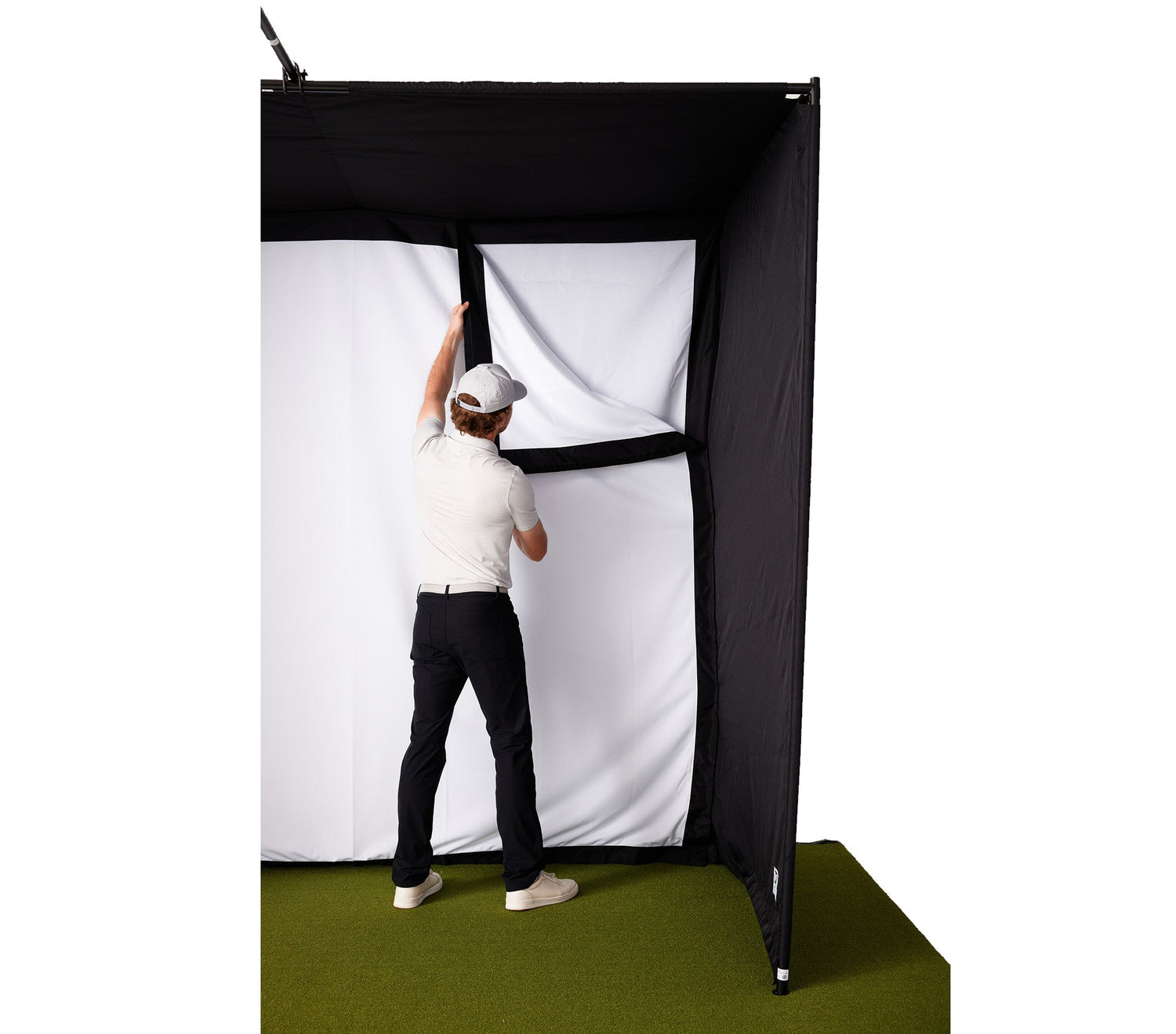
Shockingly Easy to Setup! No Extra Materials or Professionals Needed.
You'll receive everything you need to set up your own home golf simulator studio. Plus, our studio can be set up in just a few hours! Compared to other setups that can take days.
No more researching and buying extra hardware. Our patented design snaps together with ease, ensuring you'll be hitting balls into it in no time at all.
Foresight GC3 & PlayBetter SimStudio™ Home Golf Simulator Package FAQs
Is the Foresight GC3 reliable?
According to our golf reviewer, Marc, of all the launch monitors under $10,000 that he’s tested, the two that are the most accurate are Foresight Sports GC3 the and the Bushnell Launch Pro.
Is Foresight the best golf simulator?
Foresight Sports is regarded as the gold standard in camera-based launch monitors for accuracy.
Does GC3 require club stickers?
Yes for club data, not for ball data. You have to put one sticker on your club face only.
Does GC3 work with iPad?
You can only use an iPad with a GC3 (or any Foresight Sports launch monitor) with the FSX Pro software—which is dedicated performance insight platform for the game's best players, coaches and club fitters. NOTE: You must use a gaming computer with at least the minimum system requirements to run the FSX Play or FSX 2020 software.
What are the system requirements for the Foresight GC3?
Foresight Software Installation System Requirements (minimum spec): Operating System: 64 Bit Windows 10 or greater (not supported: iOS, Linux) Processor: 7th Gen or greater Intel i5, i7, and i9 processors (not recommended: AMD CPU) Memory/RAM: 8GB system memory (recommended: 16GB+ for Swing Camera/Swing Catalyst use) Video Card: Nvidia GeForce RTX 3060 or greater (recommended for Quality/Optimal Performance: GeForce RTX 3070ti/3080/3090) (not supported: Nvidia Quadro, AMD GPU)
I see images of the new GC3 with smartphones and iPads—what's that about?
All Foresight Sports launch monitors are now compatible with LINK-Enabled technology which works like this: Perform a MyBag Assessment through the Foresight App and a Foresight Sports launch monitor, hitting at least 3 shots with each club in your bag. Then link your Foresight App account with the Bushnell Golf app to sync your data, and push the MyBag information to a Bluetooth-enabled Bushnell Golf laser rangefinder. The bag assessment can be done with a smartphone and your launch monitor using Bluetooth connection. Images with iPads are showing how you can use FSX Pro on an iPad. HOWEVER, to use FSX Play or FSX 2020 or any compatible third-party simulation software, you must have a gaming PC with the minimum system requirements to use it.
How Much Space Do I Need for Foresight GC3 & PlayBetter SimStudio™ Home Golf Simulator Package?
You'll want to take into account the ceiling height of your space not just for the enclosure, but to make sure you have enough room to swing a club! The sizes of the enclosures are below:
PlayBetter SimStudio Golf Simulator Bay Golf Enclosure
- SimStudio8™: 8' (Wide) x 7.5' (Tall) x 4' (Deep)
- SimStudio10™: 10' (Wide) x 8' 6" (Tall) x 5' 4" (Deep)
- SimStudio12™: 12' (Wide) x 8' 6" (Tall) x 5' 4" (Deep)
- SimStudio13™ Deep: 13' (Wide) x 10' (Tall) x 10' (Deep)
As for the length & width of your space - the main consideration is around the launch monitor you choose. Some launch monitors sit behind you (like the FlightScope Mevo+ and Garmin Approach R10) and require a certain amount of distance to the screen. Others (like the SkyTrak+ and Bushnell Launch Pro) sit directly to the side and require a few feet of space width-wise.
If you're unsure - contact our Golf Studio Team (or call 888-738-5527) and they'll be more than happy to help you out!
Related PlayBetter SimStudio™ Content

The MOTHER of All Golf Launch Monitor Comparisons
Literally everything you could ever need to know about the top launch monitors & simulators in the game.

Ultimate Guide to Golf Launch Monitor System Requirements
See the system requirements for our top-selling golf launch monitors to understand what you need to run them. Your home golf setup starts here!
How Much Is a Golf Simulator?
These days, how much you spend on a home golf setup is really up to you. You can spend as much as you possibly can, or a surprisingly little amount. Read on for the details.

Why a Retractable Golf Impact Screen Is Perfect for a Garage Golf Simulator
Can’t sacrifice space for a legit home sim setup? Read all about the retractable golf enclosure that transforms your garage (or room) into a dual-purpose space.

What Are the Space Requirements for a Launch Monitor and Home Golf Simulator?
Dreaming of a home golf simulator? Before you buy, make sure your space can handle it—this guide breaks down how much room you’ll really need for every launch monitor type.

Your Easy Guide to Choosing a Golf Simulator Projector
This guide will break down the key factors—like screen size, aspect ratio, and lighting.