


Garmin Approach R50 (Certified Pre-Owned) with PlayBetter SimStudio™ COMPLETE Package | Golf Simulator Studio with Impact Screen, Enclosure, Side Barriers, Hitting/Putting Mats, Projector & Wireless HDMI Transmitter
by Garmin
 PlayBetter is a trusted Authorized Dealer for this brand. All purchases are
eligible for full manufacturer warranty protection.
PlayBetter is a trusted Authorized Dealer for this brand. All purchases are
eligible for full manufacturer warranty protection.
Original price
$8,394.99
Original price
$8,394.99
-
Original price
$9,394.99
Original price
$8,394.99
Current price
$7,594.99
$7,594.99
-
$8,594.99
Current price
$7,594.99
Need Help?
Talk with an expert Need expert advice?

💥 $800 OFF GARMIN APPROACH R50 (CERTIFIED PRE-OWNED) SIMSTUDIO™ PACKAGES — Order TODAY!
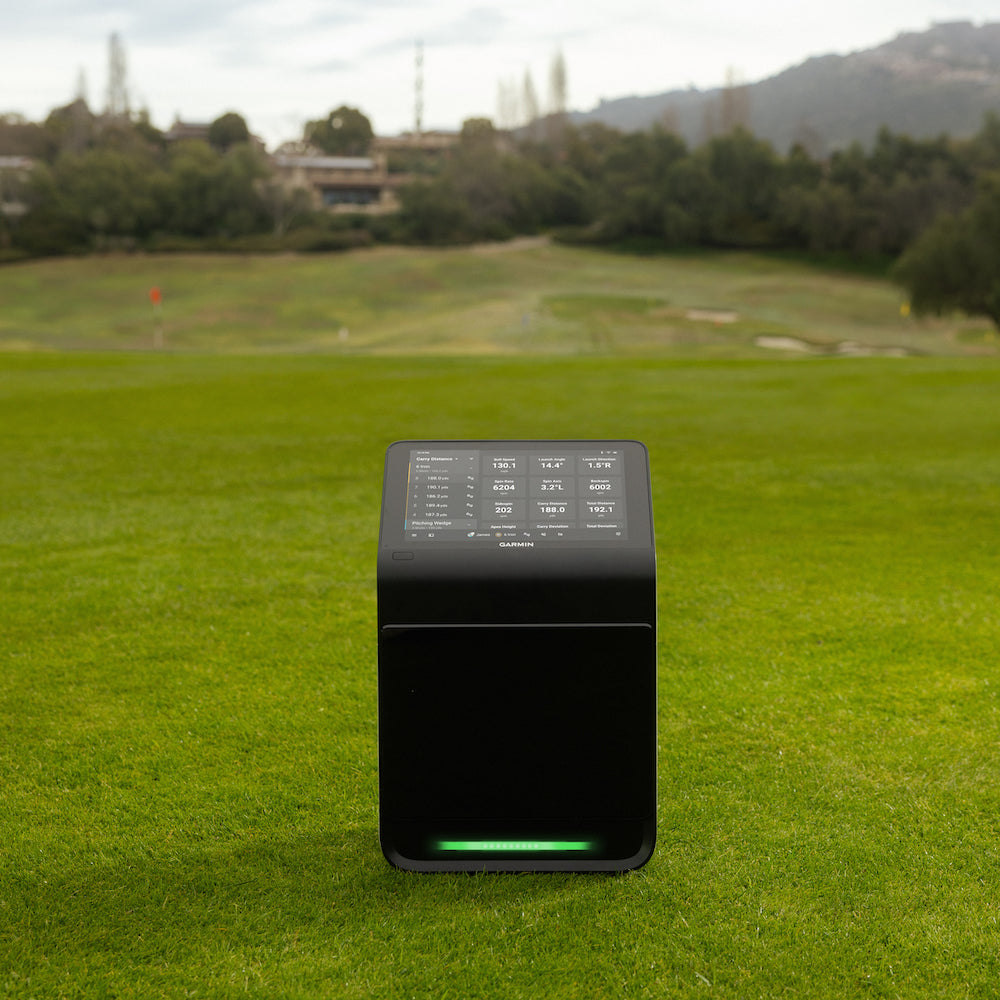
BUILD THE GARMIN APPROACH R50 (CERTIFIED PRE-OWNED) HOME STUDIO OF YOUR DREAMS with the PlayBetter SimStudio™ COMPLETE Package. The most advanced golf simulator & launch monitor ever built. Elite photometric ball & club metrics, a gorgeous 10" color touchscreen, HDMI port for instant projector connection (without PC). If you're looking for the best in the game, you've found it.
Package includes: Garmin Approach R50 (Certified Pre-Owned), Enclosure, Impact Screen, 5x5 Premium Hitting Mat, Putting/Landing Turf, Side Barriers & Optoma ZW350ST HD Golf Projector (optional upgrade to Optoma GT2300HDR adds keystone adjustment support and a Ball Tray). View studio layout & dimensions.
Here are some other great Garmin Approach R50 (Certified Pre-Owned) options:
- Garmin Approach R50 Golf Simulator & Launch Monitor (New Condition)
- Garmin Approach R50 (New Condition) with PlayBetter SimStudio™ COMPLETE Package (All-Inclusive New Studio Package)
🏌 Need help choosing? Get personalized recommendations from a PlayBetter Golf Simulator Advisor.


Garmin Approach R50 (Certified Pre-Owned) with PlayBetter SimStudio™ COMPLETE Package | Golf Simulator Studio with Impact Screen, Enclosure, Side Barriers, Hitting/Putting Mats, Projector & Wireless HDMI Transmitter
by Garmin
PlayBetter is a trusted Authorized Dealer for this brand. All purchases are
eligible for full manufacturer warranty protection.
Original price
$8,394.99
Original price
$8,394.99
-
Original price
$9,394.99
Original price
$8,394.99
Current price
$7,594.99
$7,594.99
-
$8,594.99
Current price
$7,594.99
Need Help?
Talk with an expert Need expert advice?
💥 $800 OFF GARMIN APPROACH R50 (CERTIFIED PRE-OWNED) SIMSTUDIO™ PACKAGES — Order TODAY!
BUILD THE GARMIN APPROACH R50 (CERTIFIED PRE-OWNED) HOME STUDIO OF YOUR DREAMS with the PlayBetter SimStudio™ COMPLETE Package. The most advanced golf simulator & launch monitor ever built. Elite photometric ball & club metrics, a gorgeous 10" color touchscreen, HDMI port for instant projector connection (without PC). If you're looking for the best in the game, you've found it.
Package includes: Garmin Approach R50 (Certified Pre-Owned), Enclosure, Impact Screen, 5x5 Premium Hitting Mat, Putting/Landing Turf, Side Barriers & Optoma ZW350ST HD Golf Projector (optional upgrade to Optoma GT2300HDR adds keystone adjustment support and a Ball Tray). View studio layout & dimensions.
Here are some other great Garmin Approach R50 (Certified Pre-Owned) options:
- Garmin Approach R50 Golf Simulator & Launch Monitor (New Condition)
- Garmin Approach R50 (New Condition) with PlayBetter SimStudio™ COMPLETE Package (All-Inclusive New Studio Package)
🏌 Need help choosing? Get personalized recommendations from a PlayBetter Golf Simulator Advisor.
Why Choose Us for Your Garmin Certified Pre-Owned Unit?
Worried about buying a pre-owned product? Don’t be. Each unit is carefully inspected and verified by Garmin, covered by their warranty, and backed by PlayBetter’s Free Return Policy.
Garmin quality at a fraction of the price.

Why Shop Garmin Approach R50 (Certified Pre-Owned) & PlayBetter SimStudio™ Home Golf Simulator Package with PlayBetter?
WHAT'S INCLUDED IN THE BOX?


Garmin Approach R50 (Certified Pre-Owned) & PlayBetter SimStudio™ Home Golf Simulator Package FAQs
How much is Home Tee Hero?
The improved Home Tee Hero (for R50 only) comes with a Garmin Golf membership. Golfers can compete with each other at over 43,000 virtual courses and participate in a weekly virtual tournament. The membership can be purchased through your profile settings and cost only $9.99/month or $99.99/year—a damn good deal!
Can I play third-party simulation, like GSPro, on the R50?
Yes, however, you will need a PC and whatever subscriptions apply. While connected to a wireless network, you can view all of your recorded shots in detailed, high-definition graphics on your compatible third-party simulator software. Simply select “Connect” on the home screen select the simulator app and follow the instructions.
Can you mirror the Garmin R50 display on an external display?
Yes! You can plug the R50 into a TV or Projector to mirror the display. Once plugged in, simply select “Mirror R50 Display” from the menu.
Can you change the view on the Garmin R50’s display & an external display?
Yes! You can change the view for both the launch monitor's display and a connected external display at any time or change what data appears on the map view. This involves selecting “R50 Display” or “External Display”. NOTE: During a virtual round, you must be connected to an external display to change the view. When connected to an external display, the map view appears on the external display, and you can select another view to appear on the launch monitor display.
Is there a split screen feature with the Garmin Approach R50?
Yes! You can select “Split Screen” for both the R50’s display and an external display, i.e., TV or projector.
Is the Garmin Approach R50 accurate?
Yes! Our in-house golf reviewer was very impressed when he tested it. He put it head-to-head against the Foresight Sports GC3, which is known for its dead-on accurate. Across the board, the R50 was right there, within a yard or two, a degree or two, and a hundred-or-so RPMs on all of the data points.
If I plug into a projector, does the projector control the resolution?
The output on the r50 for the HDMI is 1080p and the projector in the PlayBetter SimStudio™ is also1080p. You could use a 4K projector, but you won’t get a true 4K image (although our projectors have 4K upscaling which makes a 1080p signal a bit better). It is recommended that a user play with all the settings until they get an image they are happy with. Size of the screen and how far the projector is mounted away from the screen are key factors.