


Garmin Approach R10 with PlayBetter SimStudio™ BYO (Build Your Own) Package – Custom Home Golf Simulator Studio Builder with Impact Screen, Enclosure, Optional Mats, Projector & More
by Garmin
 PlayBetter is a trusted Authorized Dealer for this brand. All purchases are
eligible for full manufacturer warranty protection.
PlayBetter is a trusted Authorized Dealer for this brand. All purchases are
eligible for full manufacturer warranty protection.
Original price
$3,629.99
Original price
$3,629.99
-
Original price
$3,629.99
Original price
$3,629.99
Current price
$2,929.99
$2,929.99
-
$2,929.99
Current price
$2,929.99
Need Help?
Talk with an expert Need expert advice?

🎄🚨 HOLIDAY STUDIO SALE! $700 OFF APPROACH R10 SIMSTUDIO™ PACKAGE + ALIGNMENT STAND INCLUDED FOR FREE 🎁
BUILD THE GARMIN APPROACH R10 HOME STUDIO OF YOUR DREAMS with the PlayBetter SimStudio™ BYO Package. Bring the course to you with a portable launch monitor that tracks key golf metrics, records video, and powers virtual rounds on over 43,000 courses.
Package includes: Garmin Approach R10, Alignment Stand (FREE), Enclosure, Screen, and Frame.
Here are some other great Garmin Approach R10 options:
- Garmin Approach R10 Golf Launch Monitor
- Garmin Approach R10 with PlayBetter SimStudio™ COMPLETE Package (All-Inclusive Studio Package)
-
Garmin Approach R10 with PlayBetter SimStudio™ ESSENTIALS Package (Simplified Studio Package)
- Garmin Approach R10 with The Net Return Hitting Net Studio Package


For where it’s priced and what it can do…this might be the finest piece of golf technology that you can get your hands on.
Lets Play Thru - YouTube Channel
Garmin Approach R10 with PlayBetter SimStudio™ BYO (Build Your Own) Package – Custom Home Golf Simulator Studio Builder with Impact Screen, Enclosure, Optional Mats, Projector & More
by Garmin
PlayBetter is a trusted Authorized Dealer for this brand. All purchases are
eligible for full manufacturer warranty protection.
Original price
$3,629.99
Original price
$3,629.99
-
Original price
$3,629.99
Original price
$3,629.99
Current price
$2,929.99
$2,929.99
-
$2,929.99
Current price
$2,929.99
Need Help?
Talk with an expert Need expert advice?
🎄🚨 HOLIDAY STUDIO SALE! $700 OFF APPROACH R10 SIMSTUDIO™ PACKAGE + ALIGNMENT STAND INCLUDED FOR FREE 🎁
BUILD THE GARMIN APPROACH R10 HOME STUDIO OF YOUR DREAMS with the PlayBetter SimStudio™ BYO Package. Bring the course to you with a portable launch monitor that tracks key golf metrics, records video, and powers virtual rounds on over 43,000 courses.
Package includes: Garmin Approach R10, Alignment Stand (FREE), Enclosure, Screen, and Frame.
Here are some other great Garmin Approach R10 options:
- Garmin Approach R10 Golf Launch Monitor
- Garmin Approach R10 with PlayBetter SimStudio™ COMPLETE Package (All-Inclusive Studio Package)
-
Garmin Approach R10 with PlayBetter SimStudio™ ESSENTIALS Package (Simplified Studio Package)
- Garmin Approach R10 with The Net Return Hitting Net Studio Package
Why Customers Trust PlayBetter.com for Home Golf Simulation
| Components | DIY | Essentials | Complete |
|---|---|---|---|
| Enclosure, Screen, Frame | ☑️ | ☑️ | ☑️ |
| 5x5 Hitting Mat | Customizable | ☑️ | ☑️ |
| Landing/Putting Turf | Customizable | ✖️ | ☑️ |
| Side Barriers | Customizable | ✖️ | ☑️ |
| Optoma ZW350ST Projector | Customizable | ☑️ | ☑️ |
| Optoma GT2000HDR | Customizable | ✖️ | Optional Upgrade |
| SHOP STUDIO PACKAGES | SHOP DIY | SHOP ESSENTIALS | SHOP COMPLETE |

Everything You Need for a Garmin Approach R10 & PlayBetter SimStudio™ Home Golf Simulator Package
Want complete control over your build? The PlayBetter SimStudio™ DIY Package can be configured exactly the way you like it. Add (or skip) premium upgrades such as our tour‑grade hitting mat, putting turf, and your choice of projector, so you only pay for what you’ll actually use. It’s the ideal solution for golfers who already own some studio gear and want a truly personalized, plug‑and‑play setup.
Tailored to Your Space
Worried about space constraints? Fret not! The PlayBetter SimStudio™ ensures a perfect fit for any available area in your home, whether it's the living room, basement, or garage.
Safety Assured, Quality Guaranteed
The PlayBetter SimStudio™ DIY Package comes with an enclosure, screen, and frame, constructed with high-quality materials to provide a secure environment for your practice sessions.
Projectors are available in 4:3 or 16:19 Resolution. Please note: Our product images are generated, actual projector dimensions may appear slightly different.
WHAT'S INCLUDED IN EVERY PACKAGE?

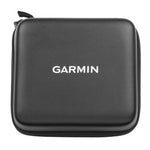

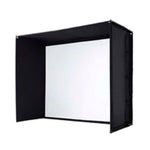
OPTIONAL PLAYBETTER SIMSTUDIO™ UPGRADES


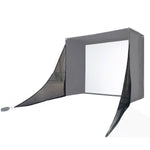

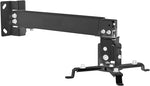

Find the Perfect Fit with 4 PlayBetter SimStudio™ Sizes
PlayBetter SimStudio8™ - Compact Powerhouse
- Dimensions: 8' (Wide) x 7.5' (Tall) x 4' (Deep)
- Best for: Small rooms, apartments, or tighter garage spaces.
- Compact but still powerful; fits most standard ceiling heights.
PlayBetter SimStudio10™ - The Perfect Starter Size
- Dimensions: 10' (Wide) x 8' 6" (Tall) x 5' 4" (Deep)
- Best for: Garage bays or mid-sized rooms where you need a bit more hitting space.
- A great balance between compact size and playability.
PlayBetter SimStudio12™ - Bigger Space, Bigger Swings
- Dimensions: 12' (Wide) x 8' 6" (Tall) x 5' 4" (Deep)
- Best for: Golfers who want a bit more breathing room for their full swing and side spin shots.
- Great for larger garages, basements, or bonus rooms.
PlayBetter SimStudio13™ Deep - Full-Scale Golf Studio
- Dimensions: 13' (Wide) x 10' (Tall) x 10' (Deep)
- Best for: Dedicated golf rooms, commercial setups, or players who want full freedom of movement.
- Deep and tall, perfect for simulator users who play with friends and family.
Why shop Garmin Approach R10 & PlayBetter SimStudio™ Home Golf Simulator Package with PlayBetter.com?


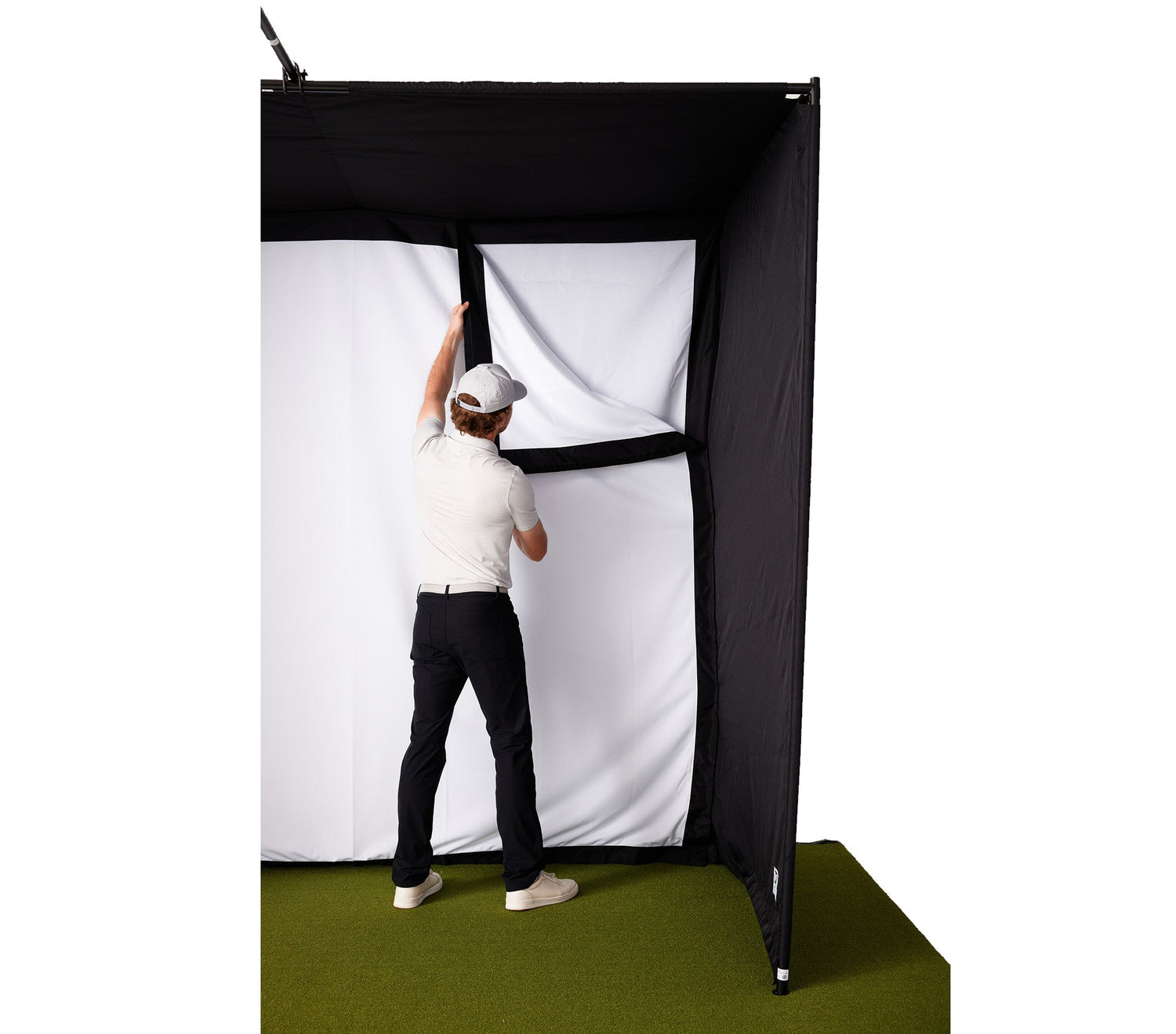
Shockingly Easy to Setup! No Extra Materials or Professionals Needed.
You'll receive everything you need to set up your own home golf simulator studio. Plus, our studio can be set up in just a few hours! Compared to other setups that can take days.
No more researching and buying extra hardware. Our patented design snaps together with ease, ensuring you'll be hitting balls into it in no time at all.
Garmin Approach R10 & PlayBetter SimStudio™ Home Golf Simulator Package FAQs
Does the Garmin Approach R10 require a subscription?
There's a lot you can do for free with the Garmin Golf app (see below). But if you want virtual rounds on Home Tee Hero on 42,000+ courses, Green Contour data, and the ability to store video clips of your shots in the cloud—the answer is you need a premium subscription. Good news, though, the cost is only $9.99/month or save a little for $99.99/year!
Does the Garmin R10 Measure Putting?
This super-affordable golf gadget does not measure putting during simulation—no launch monitor at this price does yet. You'll have to check out one of our more expensive units, like the Bushnell Launch Pro or FlightScope Mevo+, if that's a must-have.
Does the R10 measure Spin Rate and Spin Axis?
No, the R10 does not measure Spin Rate and Spin Axis, but it does estimate it from the metrics it does measure.
Do I need to use markings or stickers on the golf ball with the Approach R10?
You do not have to use marked balls. However, for the most accurate spin data indoors, RCT (radar capture technology) balls are recommended.
Can the Garmin Approach R10 be used with multiple players?
Yes! The Approach R10 can be used in multi-player mode with up to 4 players.
Can the Garmin R10 be used by right-handed and left-handed players?
Yes! It can be used by righties and lefties.
How Much Space Do I Need for Garmin Approach R10 & PlayBetter SimStudio™ Home Golf Simulator Package?
You'll want to take into account the ceiling height of your space not just for the enclosure, but to make sure you have enough room to swing a club! The sizes of the enclosures are below:
PlayBetter SimStudio Golf Simulator Bay Golf Enclosure
- SimStudio8™: 8' (Wide) x 7.5' (Tall) x 4' (Deep)
- SimStudio10™: 10' (Wide) x 8' 6" (Tall) x 5' 4" (Deep)
- SimStudio12™: 12' (Wide) x 8' 6" (Tall) x 5' 4" (Deep)
- SimStudio13™ Deep: 13' (Wide) x 10' (Tall) x 10' (Deep)
As for the length & width of your space - the main consideration is around the launch monitor you choose. Some launch monitors sit behind you (like the FlightScope Mevo+ and Garmin Approach R10) and require a certain amount of distance to the screen. Others (like the SkyTrak+ and Bushnell Launch Pro) sit directly to the side and require a few feet of space width-wise.
If you're unsure - contact our Golf Studio Team (or call 888-738-5527) and they'll be more than happy to help you out!
Related PlayBetter SimStudio™ Content

The MOTHER of All Golf Launch Monitor Comparisons
Literally everything you could ever need to know about the top launch monitors & simulators in the game.

Ultimate Guide to Golf Launch Monitor System Requirements
See the system requirements for our top-selling golf launch monitors to understand what you need to run them. Your home golf setup starts here!

How Much Is a Golf Simulator?
These days, how much you spend on a home golf setup is really up to you. You can spend as much as you possibly can, or a surprisingly little amount. Read on for the details.

Why a Retractable Golf Impact Screen Is Perfect for a Garage Golf Simulator
Can’t sacrifice space for a legit home sim setup? Read all about the retractable golf enclosure that transforms your garage (or room) into a dual-purpose space.

What Are the Space Requirements for a Launch Monitor and Home Golf Simulator?
Dreaming of a home golf simulator? Before you buy, make sure your space can handle it—this guide breaks down how much room you’ll really need for every launch monitor type.

Your Easy Guide to Choosing a Golf Simulator Projector
This guide will break down the key factors—like screen size, aspect ratio, and lighting.